As you play Game of Thrones: Dragonfire, Campaigns offer you a path into the heart of Westeros, playing through epic scenarios that shape the realm’s future.
This guide will dive into the technical specifics of Reigns, Campaigns, Stages, and Transitions. What you retain between reigns, and what resets when you enter the next stage of your World’s lifecycle.
Your World is the server your stronghold resides on, and is where you will meet players across different factions! When you join a world for the first time, you will be on a new server with new players playing through your first Reign and first Campaign.
A Reign is an event arc, or season, that takes place over the course of 8 weeks. When a Reign ends, a new one begins, and with it may come a new Campaign, events, or other opportunities.
Campaigns are the story in which you will go through over the course of a Reign. Like Reigns, these goals and opportunities last around 8 weeks.
Because Campaigns can change based on the decisions you make and the battles you win, these can potentially be replayed in future Reigns.
Campaign Stages
You will progress in your Campaign through Campaign Stages. These are time-limited phases associated with a particular part of the Campaign that offer different objectives, effects, rewards, and story moments.
Stages only last for a set time, so act quickly. Complete objectives to claim rewards once the stage concludes! Some stages will even offer special effects or buffs that change how the game is played—for example, realm modifiers such as shorter Stalemates or more Tile Capacity could appear!
Make sure to claim these rewards before the campaign ends, otherwise they will not transfer to the next reign.
Plan ahead, stay flexible, and adapt as each new stage unfolds!
Campaign Goals
Campaign Goals last the duration of the Campaign. As you complete goals, you’ll be able to earn rewards that strengthen your dragon collection for future battles. For both Stage and Campaign goals, you have two distinct places to earn rewards.
First, Faction Goals. These are team-based objectives that you must complete with your allies. Working together earns greater rewards!
Second, Personal Goals. These are objectives you complete on your own to gain additional keys and other resources, such as meat.
You must reach Stronghold Tier 10 before the Reign ends in order to claim rewards from Faction or Personal Campaign Goals. You’ll be able to claim the rewards in your mail at the start of the next Campaign!
End of Campaign – Transitions
Once you reach the end of a campaign, some things will change going into your next Reign. After all, the game is won, and the next game of thrones will begin.
You will automatically be transitioned to a new reign, and potentially a different campaign. Currently there are 3 campaigns available.
Heirs of the Dragon
Shadow of the Greens
The Dragon’s Divide
Heirs of the Dragon and Shadow of the Greens are unique as introductory campaigns, and you will likely never repeat them once completed.
Transitions
A transition is the process of remixing two or more worlds into one or more reigns. This is usually an automatic activity the game will take, and will almost always occur right before a new reign begins.
During a Transition, Alliances are always kept intact, but your World and Faction groups are not. We do our best to honor your Faction Selection preferences, but will always prioritize creating a fun and balanced experience for the most players.
But you can expect to transition with worlds whose Campaigns end around approximately the same times as yours.
Progress Items List
Certain progress resets. This means the following items you may have leveled up or earned will be removed or reset.
Dragon Reign Level
Stronghold Upgrades
Tile Ownership
Territory Influence
Meat
Resolve
House Level
Food, Wood, Stone, & Iron
The following items are retained between reigns and will not be removed from your inventory.
Gold
Dragons
Dragon Eggs
Dragon Star Rank
Dragon Habits
Dragonbone, Dragonglass, Dragonfire Keys
Dragon Relics
Relic Shards
Breedmarks
Rarity Cores
Heirlooms
Gold Store Bonus Progress
Permanent Third Builder
Campaign Favors
Noble Merits (Prev. Alliance Merits)
These lists are subject to additions without notice; be sure to review it periodically!
“Tell me about yourself, and I’ll do my utmost to serve you with all the knowledge I’ve gathered.”– Maester Barneby
A Stronghold is the center of your capabilities in Dragonfire. This is where you can customize, build, upgrade, and train. Not only that, this is where your dragons lie, awaiting to be sent out to conquer new territory in your quest to conquer Westeros.
In this guide, we’ll be going over all of the buildings currently available in your Stronghold, from your Throne Room to the Barracks, Upgrades, and the Dragon Pit.
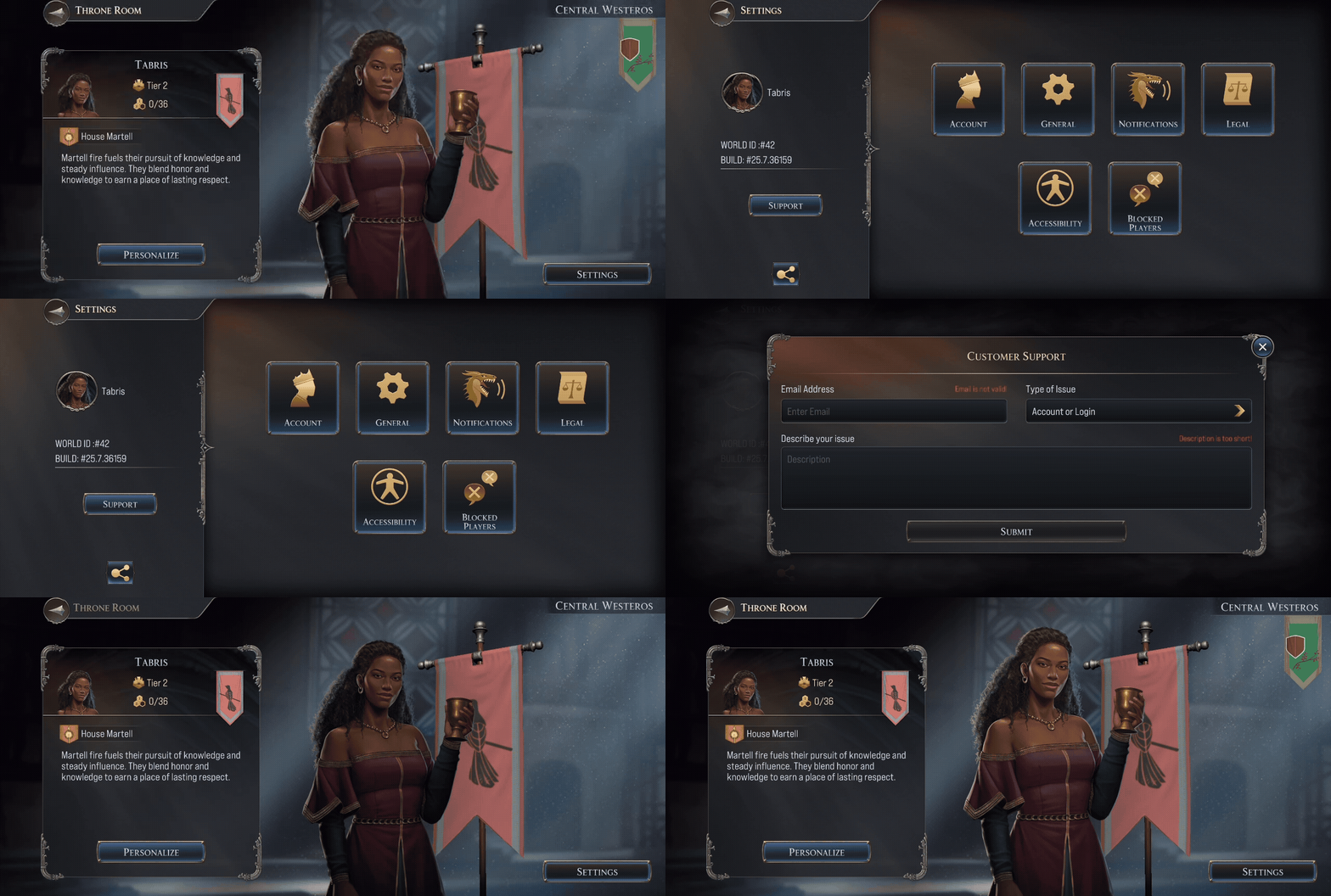
The Throne Room is where your player profile is located. You can view your Faction, personalize your name and portrait, and select your Great House. Once you select your ‘History’ and ‘Ambitions’, this will create your unique backstory.
Here you can personalize your Banner, this sigil will represent your marches while on the tile map.
Once you have your desired selection, tapping the ‘Save‘ button will store the information on your profile and make it publicly available for other players to view.
In addition, the Throne Room is where you can access your Settings.
On the left side panel, you can find your World ID, the server you are playing on as well as your Build Number, which informs you of the version of the game you are running on your device.
Submit a ticket to our Support team by tapping the ‘Support’ button. This will directly link the account to your email address.
The Upgrades panel is where you can make enhancements to your stronghold, troops, and dragons. Doing so may improve the amount of troops you can train, the amount of resources a stronghold can produce, the amount of army slots you can use, or the amount of troops a dragon can lead.
Infrastructure
Upgrades in the Infrastructure tab will focus on enhancements to your stronghold. This means upgrades to your Barracks, to train and house larger armies, or upgrades to your resource production.
Granaries will provide additional Food.
Quarries will provide additional Stone.
Lumber Mills will provide additional Wood.
Foundries will provide additional Iron.
Upgrading the above will allow you to produce more resources over-time until you reach your maximum capacity. When that occurs, your Storehouse allows you to increase that capacity to hold more resources than before.
Make sure to train toward Rapid Recruitment as quickly as possible, as you will be able to train more troops per second, allowing you to quickly replenish troops once they perish on the tile map.
War Tactics
Upgrades in the War Tactics tab will focus on enhancements to your troops in combat. Here is a list of some of the upgrades that are available.
Army Expansion unlocks additional army slots.
Swift Stride will speed up all army march times.
Relentless Assault will increase your army’s damage to non-player armies.
Stalwart Defense reduces damage your army takes from non-player armies.
Cavalry, Archers, Spearmen, and Shieldbearer Attack increases the damage dealt for armies using the appropriate troop type.
Combat Training will increase how much experience your dragons gain in battle against non-player enemies.
Cavalry, Archers, Spearmen, and Shieldbearer Defense reduces the damage received for armies using the appropriate troop type.
Siege Precision increases the amount Siege Damage your armies deal.
Rapid Reposition will allow players to reinforce garrisons faster and march quicker to them.
Ruins Reinforcement will allow players to garrison additional armies in ruins.
Dragon Care
Upgrades in the Dragon Care tab will focus on enhancements to your dragon’s army capabilities. Here is a list of some of the upgrades that are available.
Dragon’s Army increases how many troops each dragon adds to your armies.
Might of Valyria increases every dragon’s strength.
Wisdom of Valyria increases every dragon’s intelligence.
Conqueror’s Instinct enhances every dragon’s Instinct.
First Flame enhances every dragon’s initiative.
Hunter’s, Sentinel’s, Warrior’s, and Champion’s Attack increases the damage dealt by dragons of the appropriate breed.
Hunter’s, Sentinel’s, Warrior’s, and Champion’s Defense reduces the damage received by dragons of the appropriate breed.
NOTE: Stronghold upgrades reset at the start of each new campaign, so take advantage and attempt different strategies to prepare for the next
The Barracks is where you can train and store troops to use on the tile map. These troops are generic, and once you assign them to an army you will be able to determine which troop type you would like them to be.
This panel will display the troops you have, the troops you’ve stored, as well as the cost and time to train additional forces.
The Armies tab is where you can create armies to send out on marches into the world of Westeros. Tapping the ‘Create Army’ button will send you to the ‘Army Builder.’ Once there, select your dragons, troops and build your army to your specifications.
Learn more about how to perfect an army in our Guide to Dragons!
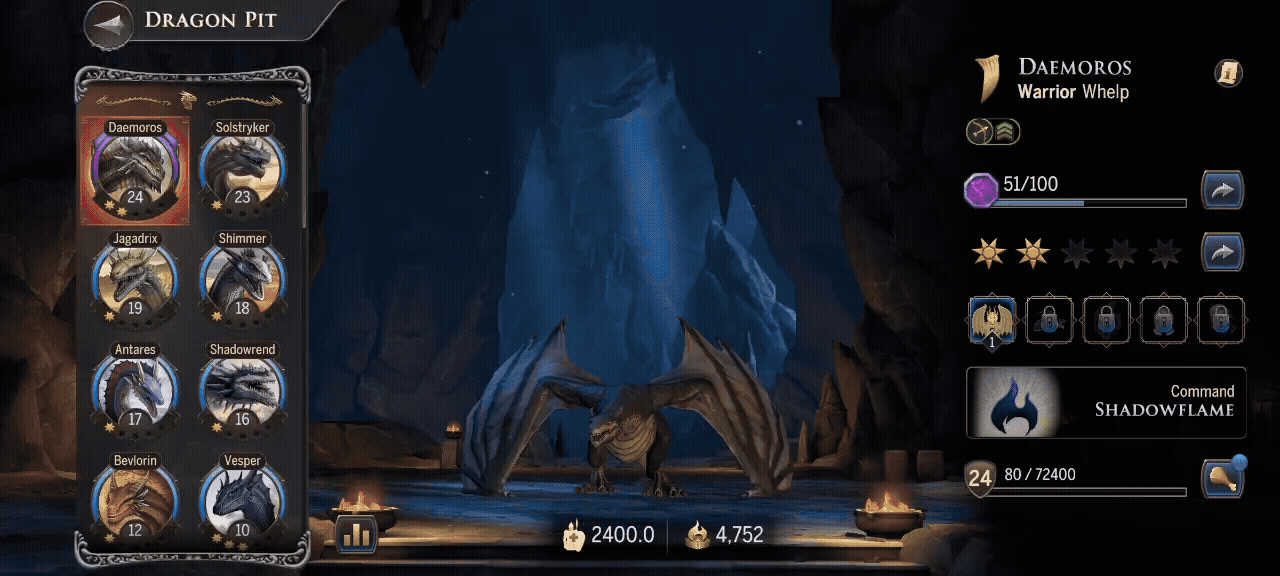
The Dragon Pit is where you can view the dragons you have collected from the Hatchery. In the right side panel, you can view a Dragon’s rarity, breed, troop affinity, Star Rank progression, Reign level, Habits and unique Command. In the left panel, you can view all of the dragons you have collected and those you have left to discover.
Dragon Rarity reflects the Hatchery drop rate. This, in turn, will affect a Dragon’s maximum power and overall impact in combat.
Star Rank is a progression system that can be upgraded by collectingDragon Relics in the Hatchery. The higher Star Rank your Dragon is, the more powerful they are. Star Ranks increase a dragon’s stats and unlock new skills, called Habits. Star Ranks are retained between Reigns.
Regin Level is increased by using dragons in combat, where they will gain experience based on the number of enemy troops killed. Increasing a dragon’s Reign level will help them fight against higher-level tiles and enemies.Unlike Star Rank, Reign Level will restart at the beginning of each new reign.
The Boost Center is where you can view all currently active Boosts, Bonuses and Efficiencys. These can be acquired from multiple sources.
Personal Boosts can be applied instantly on receiving them. You may receive them as rewards, or you can also purchase them from the store.
Realm Bonuses are applied to all players within your realm. Know your strengths before you make your move!
E (Efficiency) determines the cost of resources, upgrades, and other actions in Dragonfire. For example:
New Cost = (1000 / (1000 + E))* Original Cost
If you have +1000 E to complete Stronhold projects, the time to finish the project is decreased by half.E is the strongest when stacking from many sources.
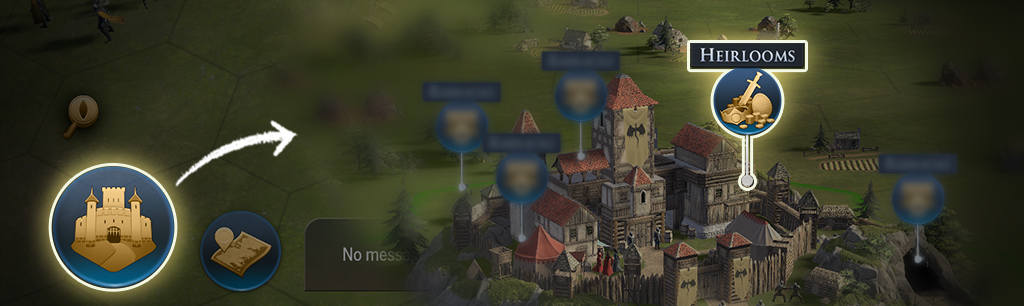
Heirlooms are perhaps some of the most strategic upgrades you can maintain as you make your way through the kingdoms of Westeros.
This is a permanent upgrade trees that allow you to invest in powerful stat improvements that can follow you from one reign to the next to strengthen your Stronghold over time. Gaining access and continuously making use of these permanent upgrades requires strategic planning, as your House Level determines which Heirloom upgrades are active.
Tap the button below to view our dedicated guide, as we dive into the specifics of the Heirloom system and how you can properly invest in the stats that will follow you from one reign into the next.
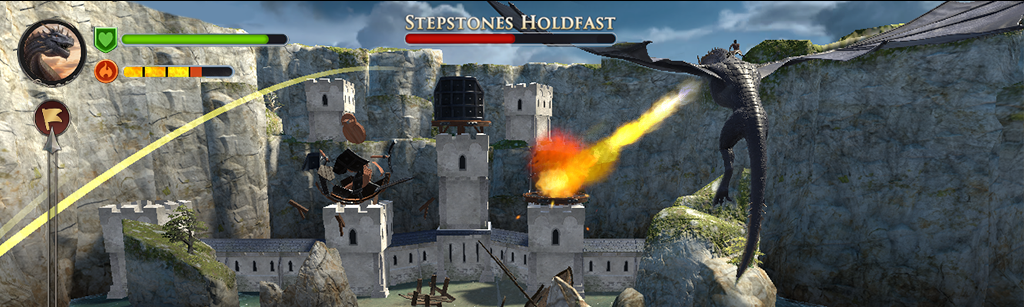
Take to the skies to hunt threats across the Seven Kingdoms of Westeros!
Tap the ‘Dragon Strike’ button within your stronghold to take flight, complete levels, and earn rewards to strengthen your Dragons and Stronghold. Progress persists across reigns, and replay to master each level for additional rewards!
The Market is where you can purchase and exchange items for preferred goods! You can find this above the the ‘Navigator’ button on the left hand side of the tilemap.
Tap the ‘Resources’ tab to exchange gold for Food, Wood, Stone and Iron. You can also exchange one resource for another, after all the center you keep may benefit from a little local bartering.
Tap the ‘Relic Shards’ tab to exchange Dragon Shard Dust for Dragon Relics and Dragonbone Keys. Dragon Shard dust can only be obtained when you receive relics from dragons you have already upgraded to their maximum Star Rank.
Tap the ‘Gold’ tab to exchange relics and Dragon Glass Keys for Gold.
Your stronghold has the ability to relocate to a different location on the tilemap. Whether it’s to gain higher level resource tiles, or reduce march and reinforcement times, as you slowly expand your influence you will need to move forth to take appropriate action.
You cannot relocate to a region until your Faction has taken over that regions Seat of Power.
Be warned, you can only relocate your stronghold every 2 days. If successful, all marches will be recalled to the new stronghold location.
Note that allied faction members cannot block a player’s new relocation, but enemies can. Proximity to where you are fighting provides a lot of advantages, but can put your stronghold in the sights of your enemies. If an enemy conquers a tile you need to relocate before your relocation march arrives, the relocation will fail. Thankfully, no cooldown will be used and you can attempt to relocate again.
While perusing the combat map of Westeros, you will come across tiles that are different from the usual resource tiles. Ruins, docks, and perhaps even Seats of Power. These are Points of Interest, special locations and tiles that will bring you and your allies benefits on your conquest for King’s Landing.
Let us dive into a comprehensive guide about specific map tiles, Points of Interest, Territory Influence, what they have to offer, and how to take them for your gain.
The tile map, also known as the combat map, is where all of your Player vs Enemy (PvE) & Player vs Player (PvP) interactions will take place. Here you will find a garden of tiles and encounters for the taking.
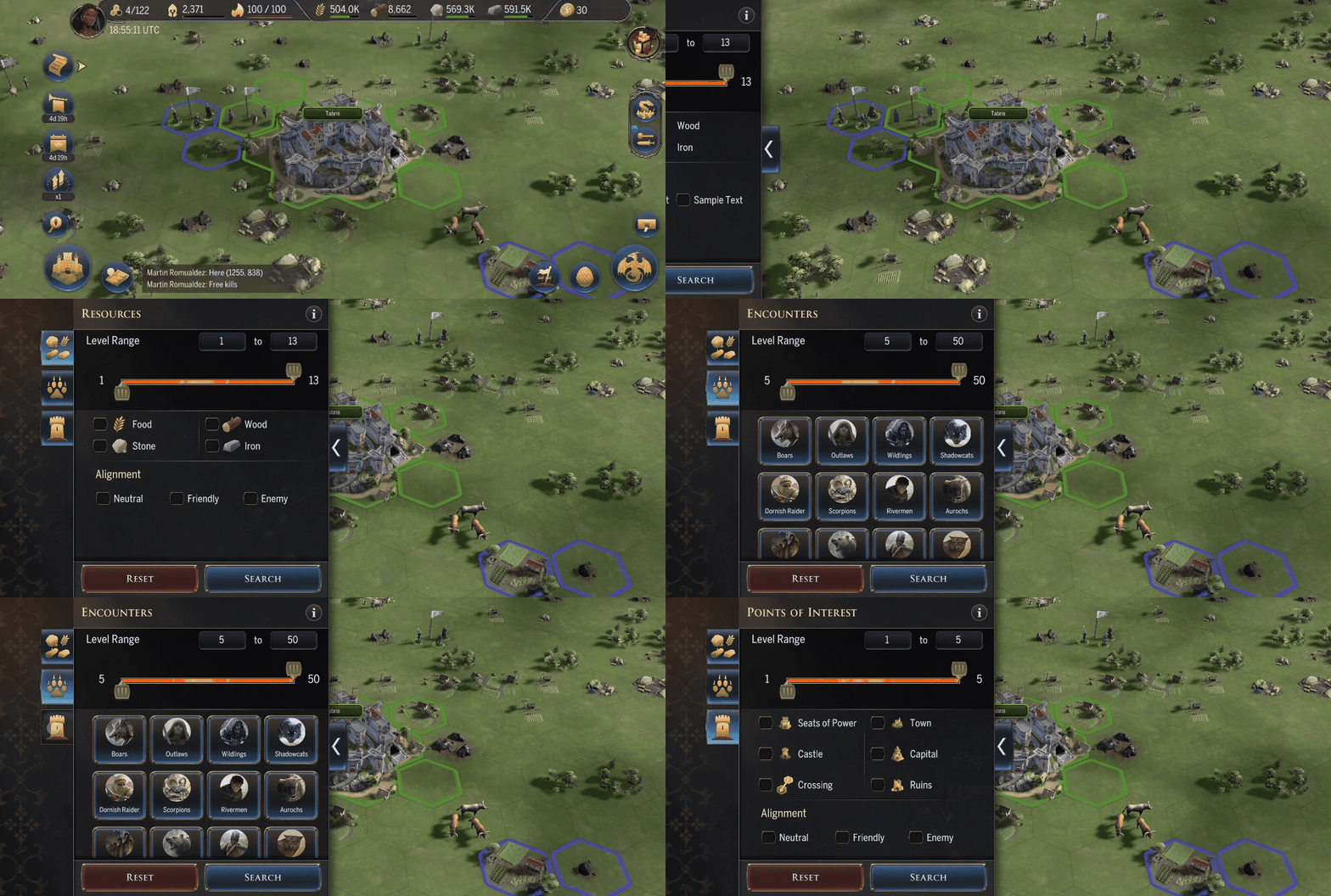
You can look up specific tiles, and encounters by making use of the Navigator. Tap the ‘search’ icon on the combat map. Select the type and level of tile you would like to find matches in a 100×100 area around your camera’s current position. Your camera will jump to the nearest match, and the tile will be highlighted.
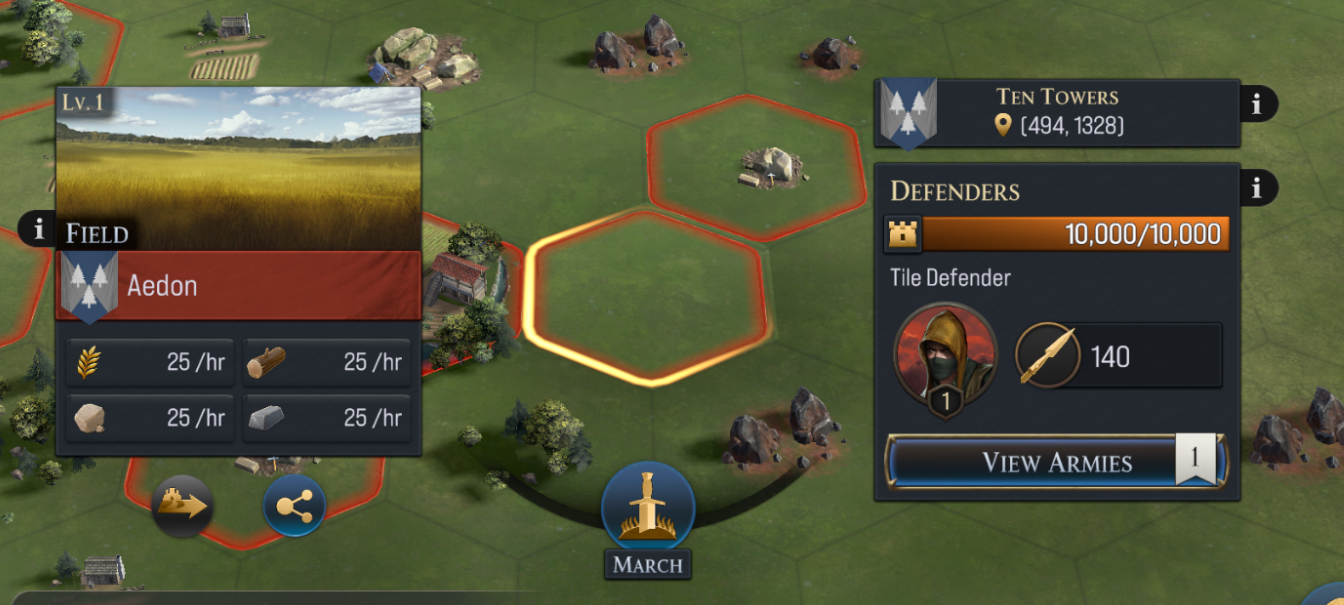
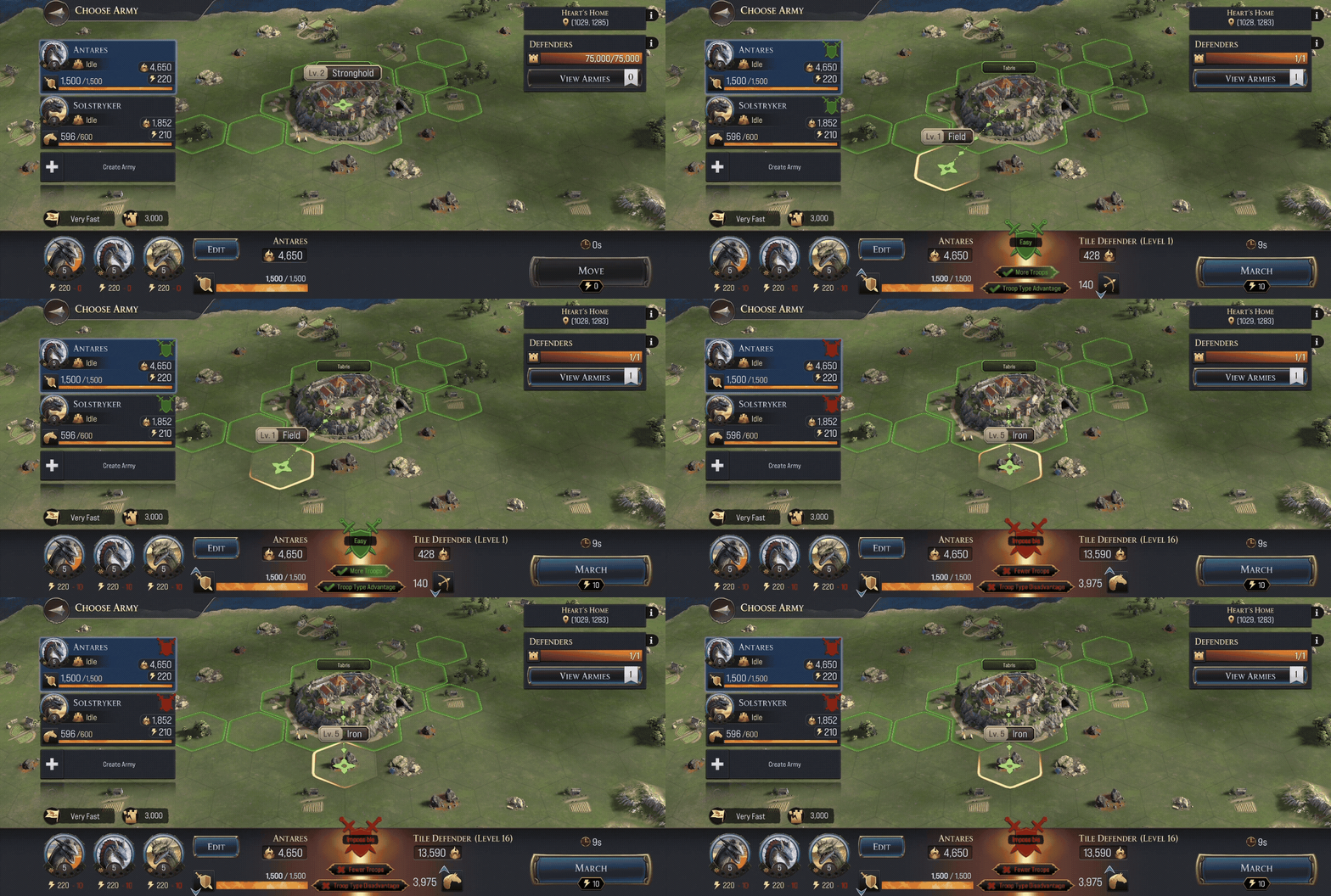
Every tile is protected by Tile Defenders and has a Durability amount.
Tile Defenders are one or more armies stationed to protect the tile. When you take over a tile, you can also station your army there to protect it.
Durability is the amount of Siege damage a tile can take before it is conquered. Siege type troops deal the most damage to Durability. Neutral resource tiles usually have extremely low Durability, but Points of Interest often have lots of durability.
To conquer a tile you must defeat all Defenders before you can deal Siege damage to the tile’s Durability. Once Durability reaches 0, the tile can be conquered. If a tile is attacked but not conquered, a timer will show when the Defenders will return.
Once you conquer a tile, you have protection for 3 minutes until it expires, after which enemy players can attempt to claim them.
Conquering tiles may increase your food, wood, stone, and iron production as well as provide other benefits depending on the tile type. Resource tiles are among the most common tiles, alongside fields. These will grant resources over time once they become part of your territory, and are the best way to upgrade your Dragon’s Reign Level.
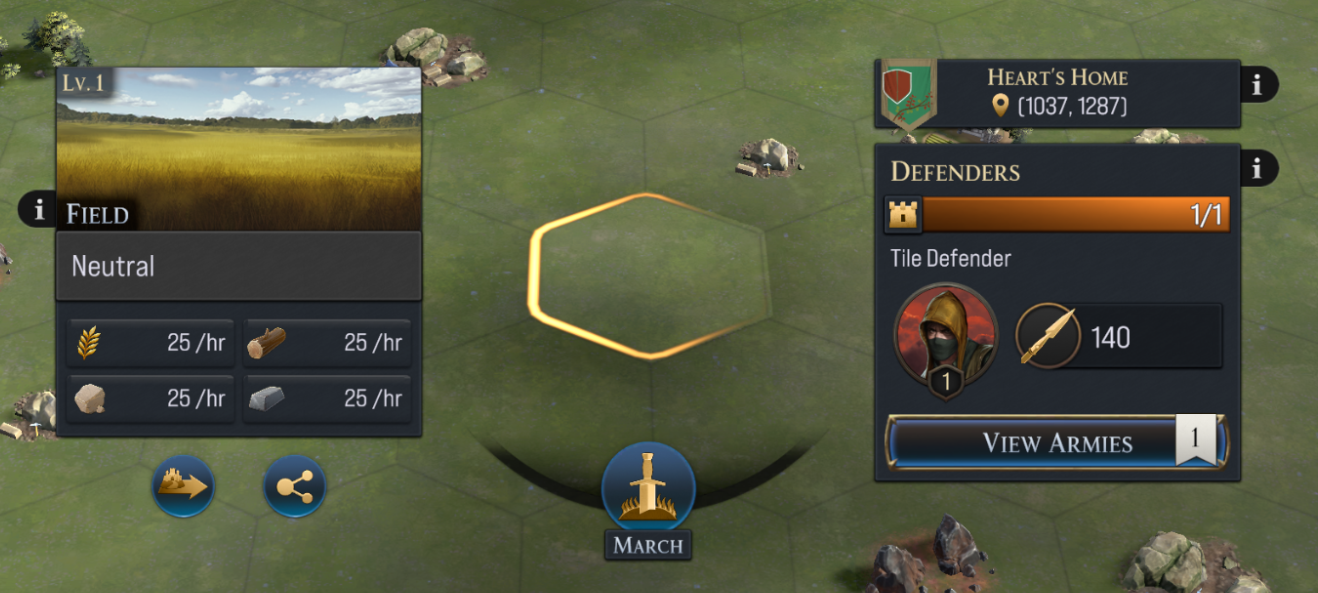
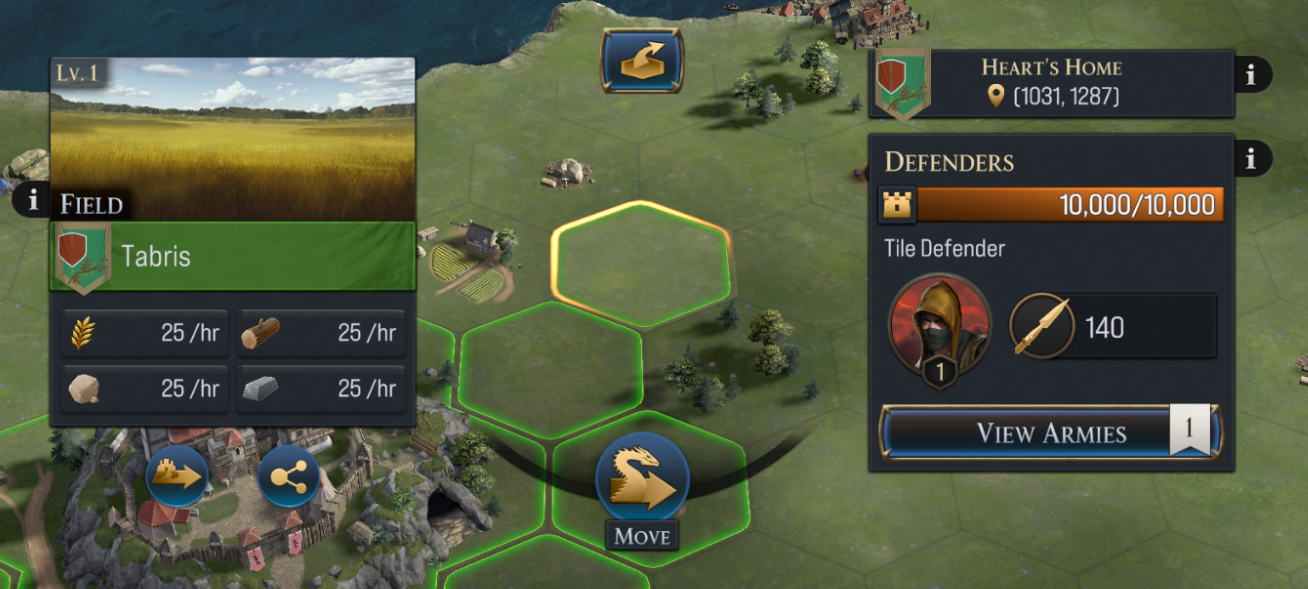
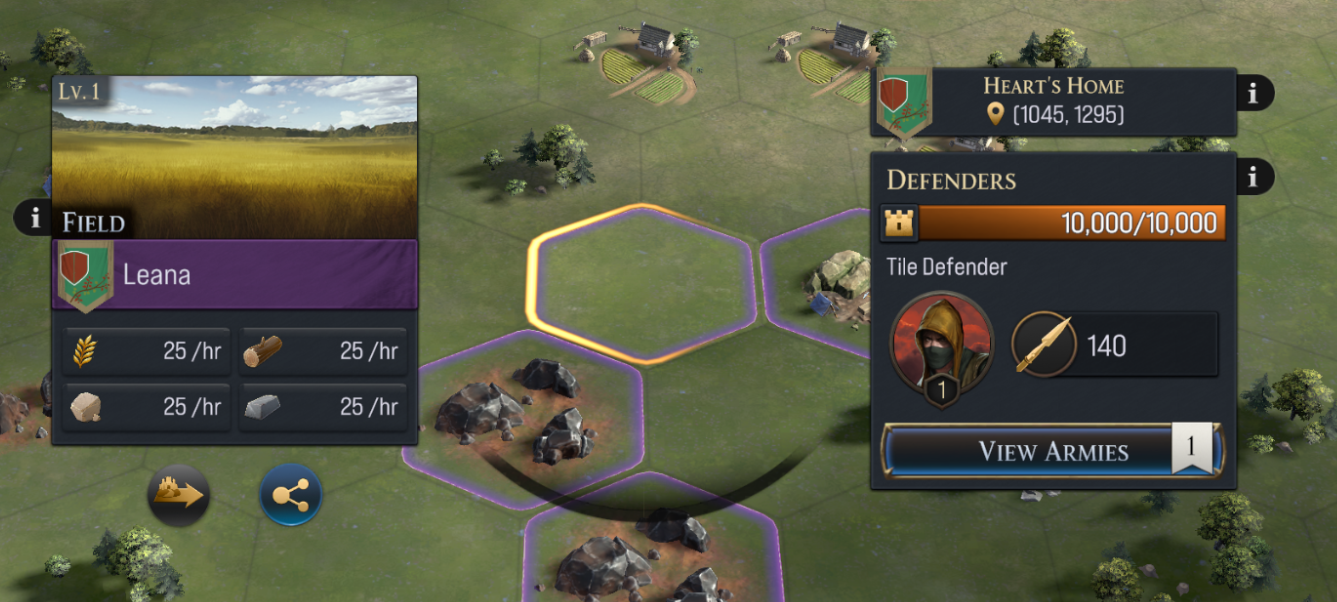
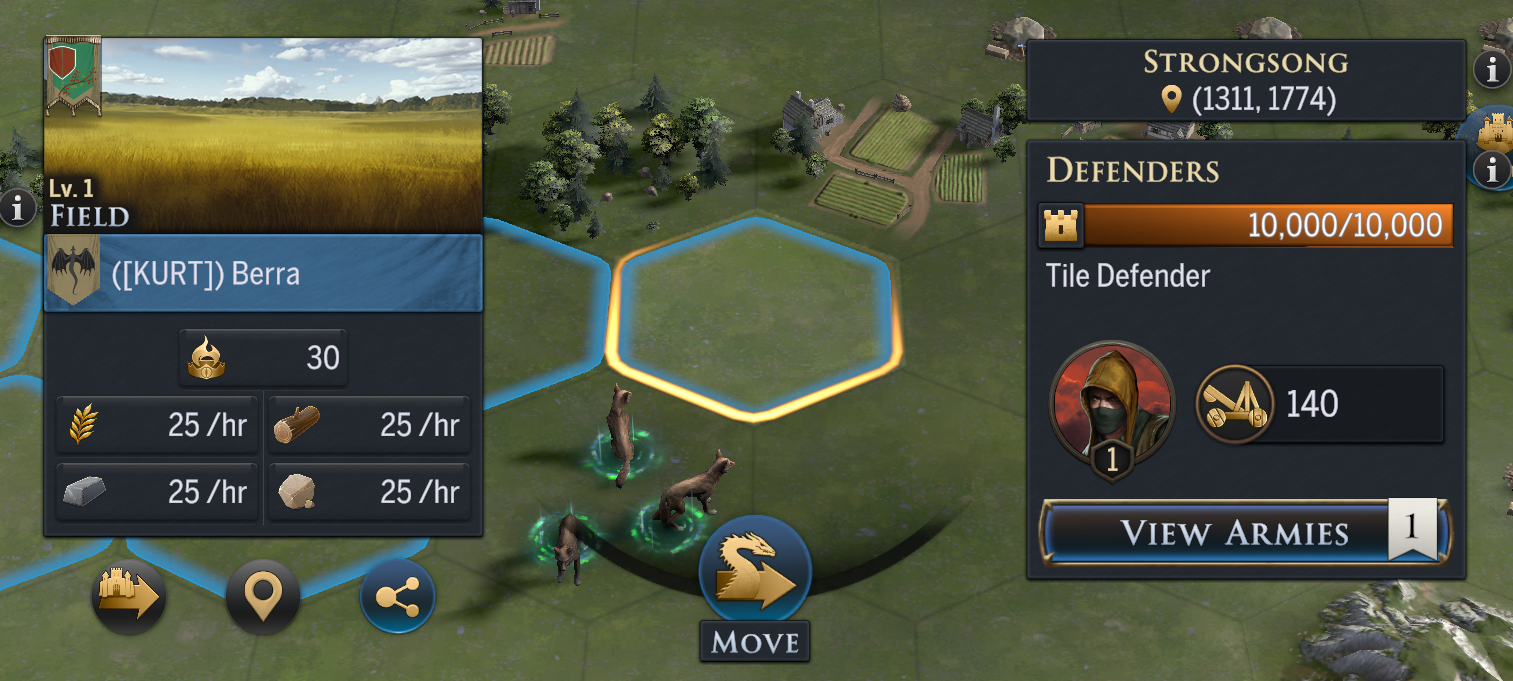
When taking over a tile, you may find it color-coded. This indicates who owns the tile:
Grey
A player does not own these tiles.
Green
You’ve claimed these tiles in battle, and you own them.
Purple
Your faction or a player in your faction owns these tiles. You can conquer tiles next to faction tiles, but take note. It’s best to be courteous to fellow Faction members and not claim tiles they are actively marching towards. Otherwise, you may end up becoming more of an enemy than a friend.
Blue
Your alliance or a player in your alliance owns these tiles. You can use these tiles to your advantage to move troops across the combat map.
Red
A rival faction owns these tiles and will actively harm your campaign to take over King’s Landing. Conquering these tiles will reduce your rival’s resource production, limit the mobility of their armies, and draw a line in the sand. Each enemy faction shows as Red on the combat map.
Keep these colors in mind as you expand your influence.
Territory Influence
Your Territory Influence is the total number of tiles you can conquer. Increase your territory to expand your control.
For every 100 Territory Influence points you obtain, your tile capacity will increase by 1. Throughout a campaign, you will earn 100 Territory Influence every 24 hours. You can earn Territory in other ways as well, either by completing Chapter Quests or Campaign Stages.
Additionally, some Campaign Stages provide temporary boosts—such as increased tile cap or cheaper troops—which are not part of your rewards or Influence, but still affect your total tile capacity.
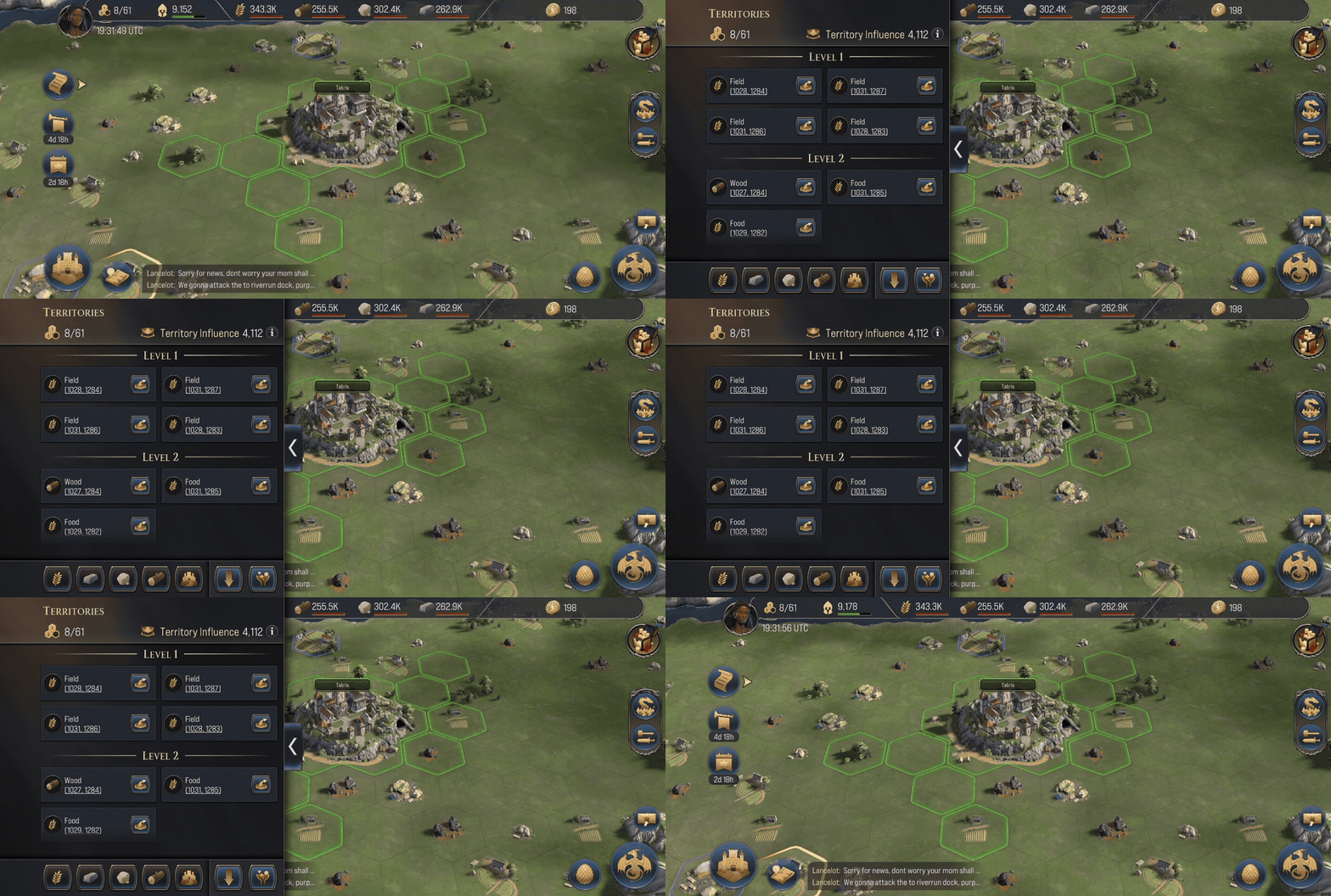
To view the tiles you have conquered, tap the tile icon next to your profile photo on the combat map. Here you can easily abandon tiles based on level.
Encounters
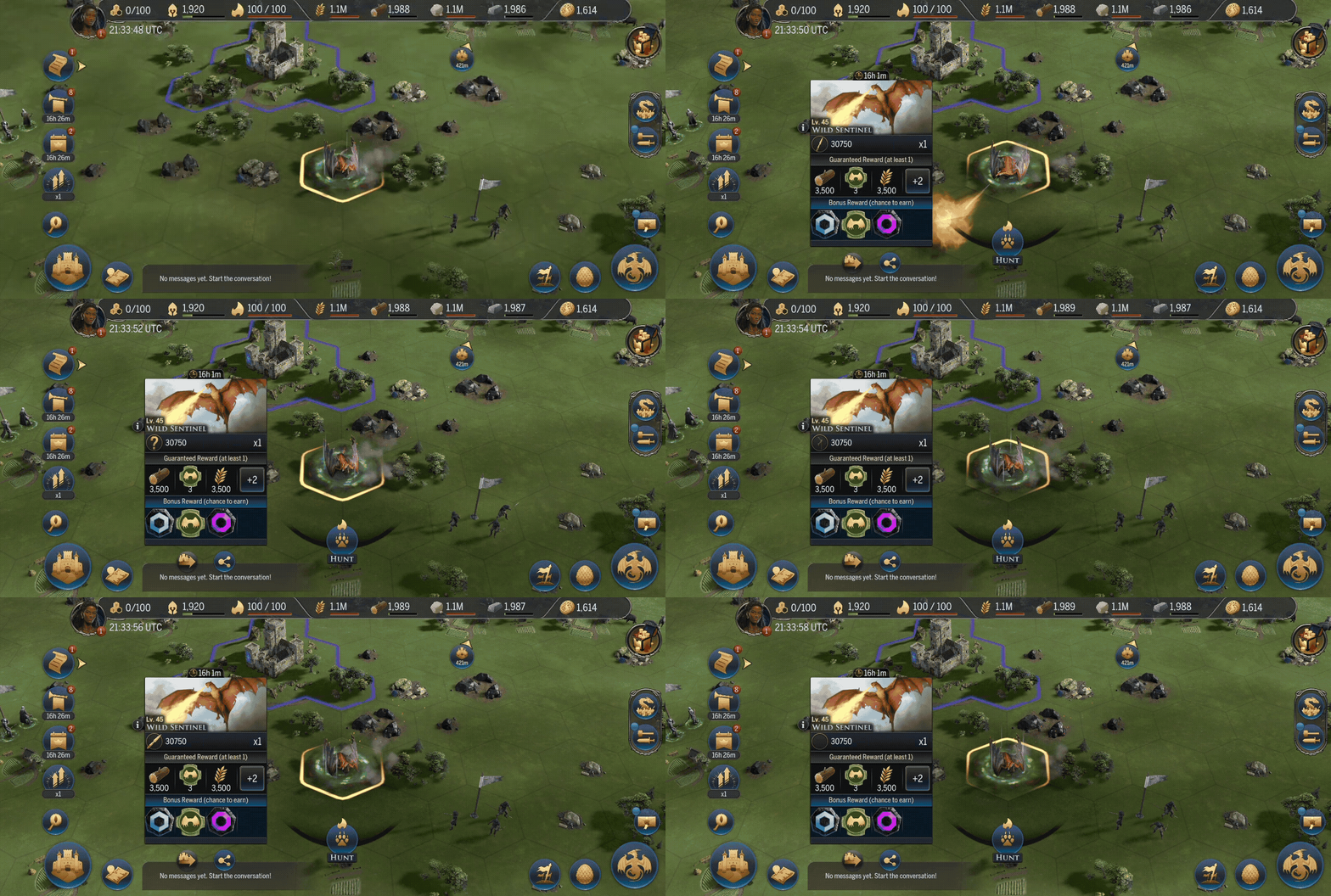
While perusing upon the Tile Map, you may come across some strange Encounters. These are non-player enemies that you can defeat to gain unique and valuable rewards and potentially use to progress through certain active Events.
Hunting uses Resolve, a special energy that regenerates over time. You do not need to be connected to a tile to attack an encounter and defeating an encounter will not grant you ownership of that tile.
Take note, some encounters might take multiple armies to bring down!
Wild Dragon encounters are a primary source of Breedmarks, items used to progress your dragon’s Habits. You can read more about Habits in our Dragon Guide.
Remember, each breed of Wild Dragon drops a specific Breedmark, and will have a weakness to a specific breed, so be sure to prepare!
Impassable Tiles
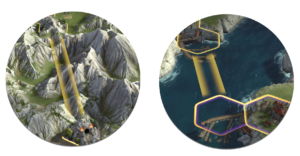
You may notice as you continue your journey through the nine kingdoms that some tiles cannot be claimed, and can only be pathed across when marching toward a different tile.
These are Impassable Tiles. Far too dangerous for even a Dragon to attempt to claim. After all, if you were to fall in battle, it would be extraordinarily difficult to bring you home. Mountains, Water, Cliffs, and specific natural landmarks are exempt from being claimed.
But, if you would like to pass across those mountains anyhow, how would you do it? This is where you can find Strategic Tiles. These are Points of Interest that allow for exploration and movement across the map. Keep an eye out for Docks that cross water, and Tunnels that go through mountains. Note that you will have to take both sides of the crossing to move through!
Ruins, Towns & Castles
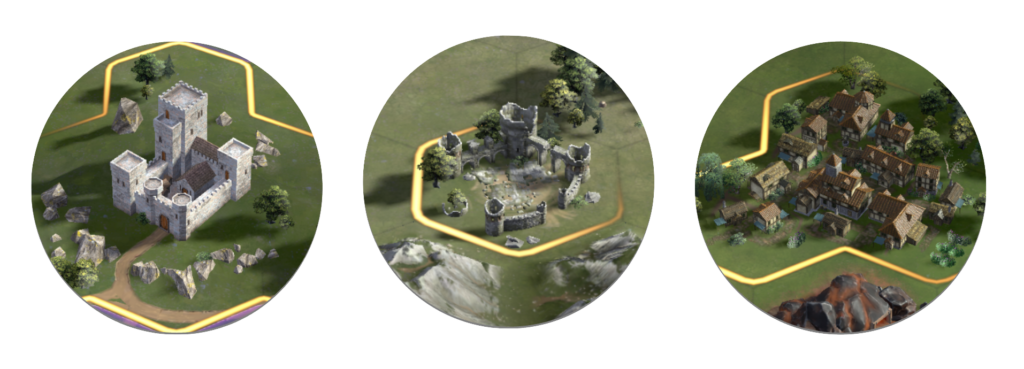
Ruins act as a personal garrison point once conquered. Much like regular tiles, you will be able to claim it once you defeat the non-player defenders and reduce the durability to zero.
With a garrison come many benefits. Not only are you able to change troop types and adjust dragon lane assignments, but you also have the following benefits:
Armies will march faster from your Stronghold when sent to a garrison.
Armies reinforce faster while at a garrison.
Garrisoned armies return to the ruin when recalled or defeated, not your Stronghold.
Towns and Castles will also act as a garrison point once conquered. Unlike Ruins which act as a personal garrison, Towns and Castles are owned by the faction and enable all members of the faction to garrison armies in said point of interest. These act as rally points for invasion or defense of a region.
High-level Castles can provide more garrison slots for your factions’ armies. From level 1 – 3, a Castle can host two armies, and level 4+, a Castle can host up to three armies.
Take note! All Points of Interest no matter the size will only provide 1 army worth of experience.
Train your combat abilities on these Points of Interest, as they will behave similarly to Seats of Power.
Seats of Power
When you first join the fray, you can choose one out of three factions: North, Central & South. This will indicate where you begin your journey, and who your direct foes will be, as well as your potential allies.
Unlike Alliances, the Factions you join are not permanent, and will restart at the beginning of each Reign.
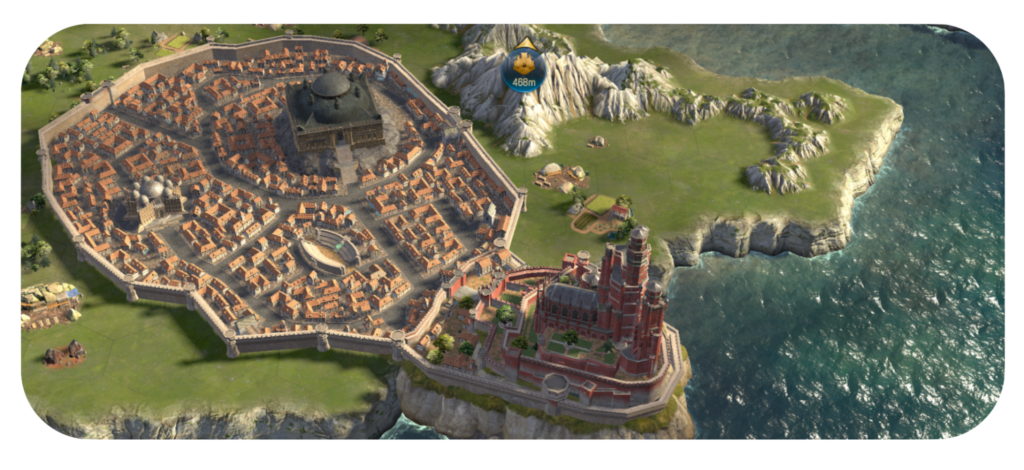
Within these three factions lie 9 Kingdoms with a ruling House and associated Seat Capital, the ultimate Seats of Power.
Kingdom
House
Capital
Regions
Dorne
Martell
Sunspear
15
The Crownlands
Targaryen
Kings Landing & Dragonstone
6
The Iron Islands
Greyjoy
Pyke
3
The North
Stark
Winterfell
15
The Reach
Hightowers
Oldtown
20
The Riverlands
Strong Tully
Harrenhal & Riverrun
9
The Stormlands
Baratheon
Storm’s End
12
The Vale
Arryn
The Eyrie
9
The Westerlands
Lannister
Casterly Rock
10
Each Kingdom is divided into regions that are owned and managed by smaller families underneath the great houses. This is where the true battle begins, as claiming the Seat of Power in a region claims the entire region for your Faction, and prevents enemies from relocating into the region. This is key to improving your strategic influence for Capitals, and in turn, that Kingdom.
Seats of Power are heavily defended and have high Durability, requiring well-coordinated attacks with allies to conquer. When a faction conquers a Seat of Power, they control the region, blocking enemy relocations and providing defensive bonuses to faction-owned tiles in the area.
Conquering Points of Interest
Each location presents different challenges. Consider the terrain, distance from Towns or Castles, and the presence of rival players as you coordinate with your faction.
Secure nearby bases
Conquer nearby Ruins, Towns, or Castles and use them as garrisons to quickly replenish troops.
Relocate your Stronghold
The closer you are, the faster you can reinforce your armies, and rotate in new dragons.
Coordinate your Strategy
Plan the time of your attack, as once the battle starts you will need to secure the Point of Interest before the non-player defenders replenish.
Assemble your Forces
Gather at a connected tiles with at least one army to combat the defenders and one siege army to reduce durability.
Clear Defenders
Defeat defenders before deploying siege armies; otherwise, you might suffer a heavy loss.
“With care and patience, these relics shall yield a dragon to soar at your side.” – Elder Angar
Caring for one’s dragon is a remarkable feat. Over many years of training, Elder Angar had learned the secret arts of hatching that had been closely guarded by only the most trusted in Targaryen service. Now he passes that knowledge to you.
In today’s guide, we will be diving into detail about how to hatch and grow your dragons to become formidable foes throughout the seven kingdoms.
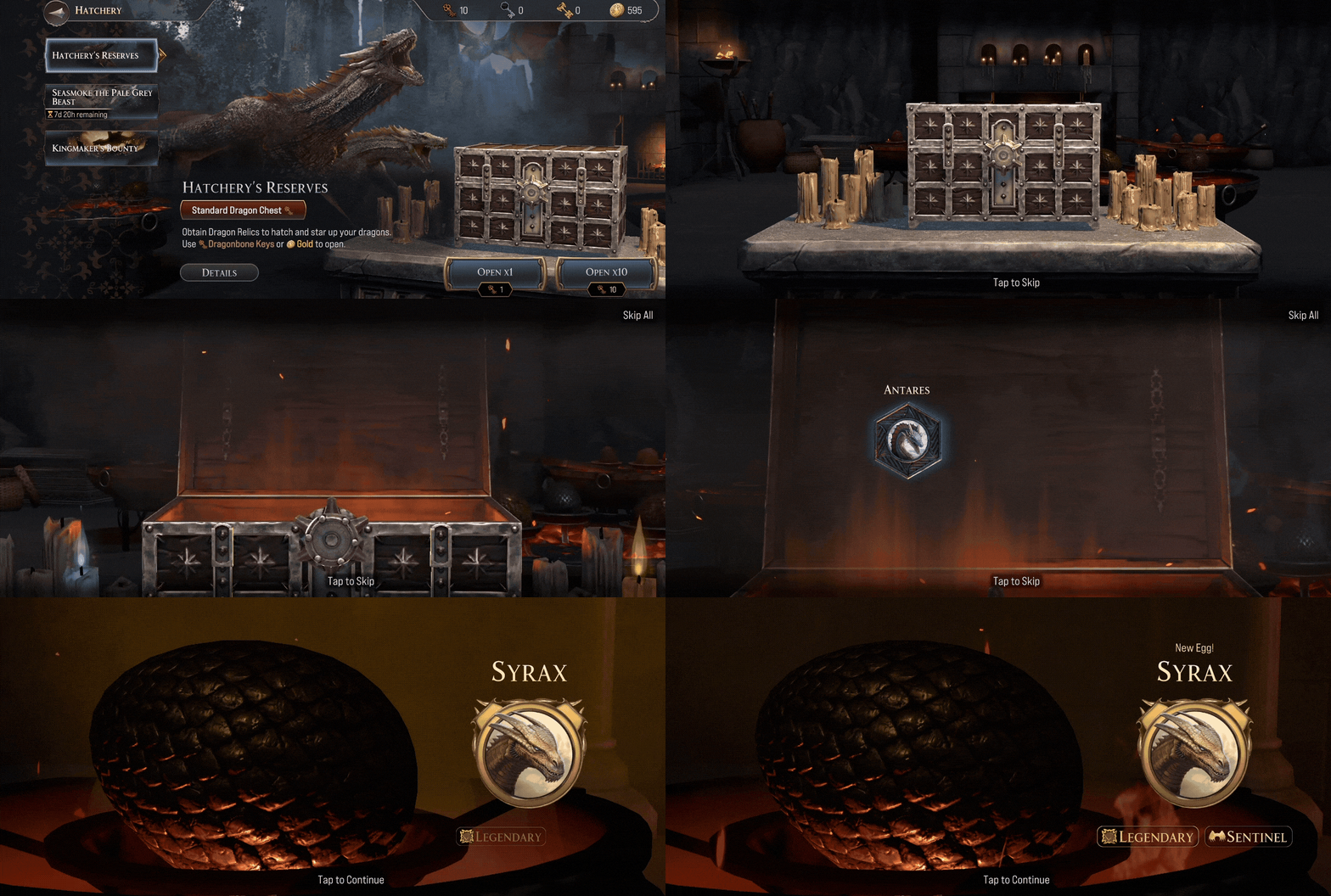
The Hatchery is where you can claim Dragon Relics – relics of Rare, Epic, and Legendary rarities that are used to hatch new dragons and increase that dragon’s Star Rank.
Star Rank is your dragon’s Star level that will be retained between campaigns. The higher Star Rank your dragon is, the better stats they will receive.
Chests can be opened by Dragonbone, Dragonglass, or DragonfireKeys. Keys can be collected from completing Chapter Quests, completing personal and faction objectives in Campaign Stages, and limited-time activities. While Dragonbone Keys are more plentiful, other valuable keys will appear as potential rewards.
To access the Hatchery and open a Dragon Chest, tap the Dragon Egg icon in the bottom right-hand corner of the tile map.
Abilities
If you need a refresher from our Stronghold Guide, the Dragon Pit is where you can view the dragons you have collected from the Hatchery.
While here, you may see that each of your Dragons will have a unique ‘Command‘. These are special abilities that dragons can use during combat, which have a chance to activate each round during combat.
A dragon’s Command is unique to each dragon and defines its core battlefield ability. A dragon’s overall power is influenced by its Star Rank and the number of Dragon Relics you’ve collected for that specific dragon.
In addition to their Command, dragons can unlock Habits — powerful passive abilities that can be unlocked through a Dragons Star Rank and upgraded through Breedmarks and Rarity Cores, further boosting their effectiveness in battle.
Both Breedmarks and Rarity Cores are needed to upgrade habits, and each is dictated by the dragon’s Breed and Rarity. Rarity Cores and Breedmarks can be earned through various rewards, offers, and chests. You can view these currencies within the Dragon Pit.
Take note, once a Habit is upgraded, it will be a permanent addition to your Dragon, and will persist throughout the next reign.
Reign Level
In both the Dragon Pit and Army Builder, you’ll see your dragon’s Reign Level. Reign Level reflects your dragon’s current level during a campaign.
As your dragon gains experience and levels up, their max army size and combat stats (Strength, Instincts, Intelligence, and Initiative) increase–making them and their army more powerful.
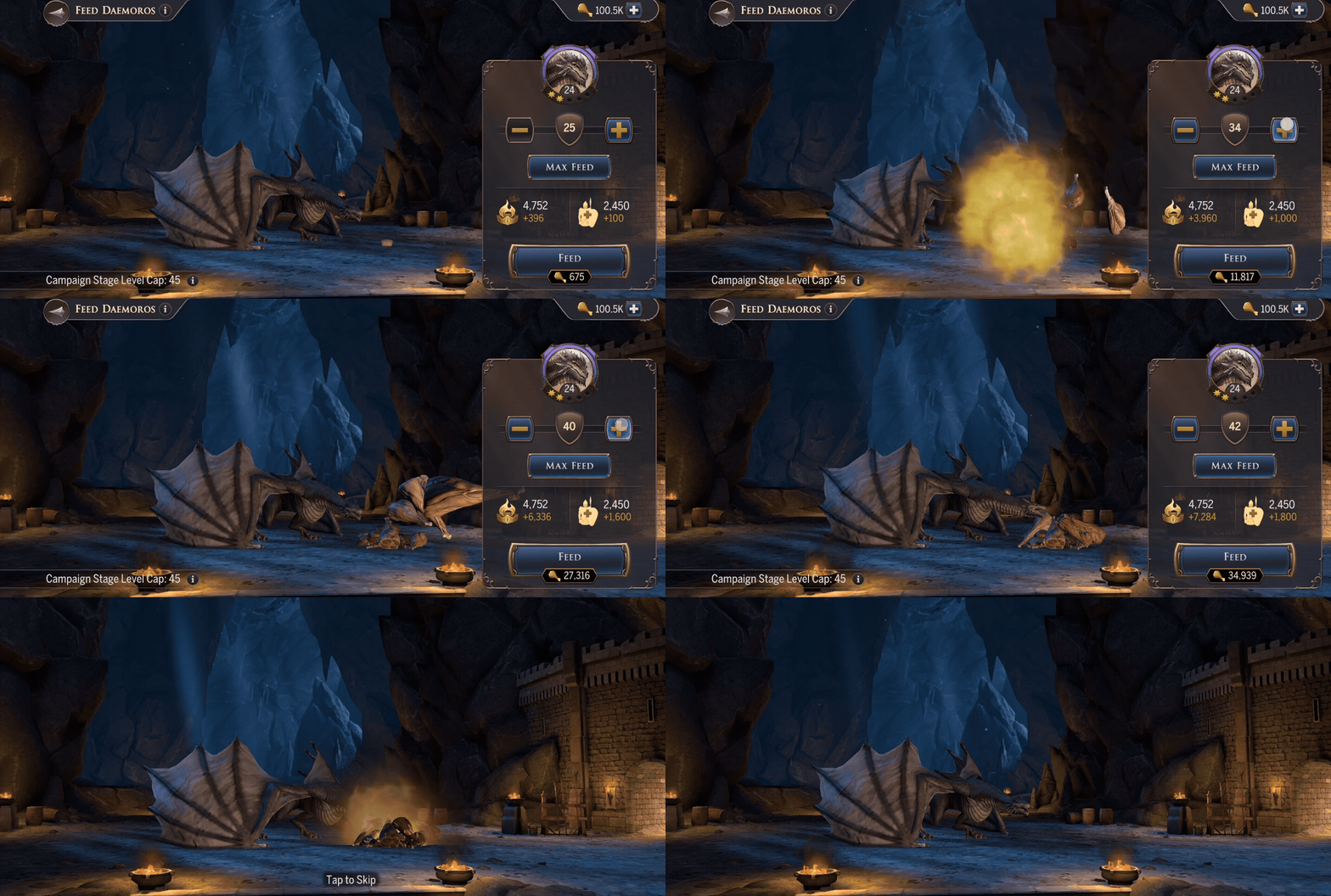
If you’re falling behind, you can always increase your dragon’s reign level by feeding them Meat! You can collect meat through events, chapter quests, stages, and by defeating enemies on the tile map. Feed your dragon by tapping the meat icon within the Dragon Pit.
While feeding your dragon, you may also notice a dynamic stage level cap set to your max dragon’s level minus 5.
For Example:
● Stage Feeding Cap is 15, and your Max Dragon level is 1. You can now feed dragons up to level 15. ● Stage Feeding Cap is 15, but your Max Dragon level is 25. You can now feed dragons up to level 20 instead of lvl 15.
Take Note: The level difference between your max dragon and the feeding cap changes as the campaign goes on. In Stage 1, you can feed up to your max dragon level -5. Later into a campaign, this changes to -1, allowing you to feed up to level 49.
While there’s no level requirement to attack specific tile levels, stronger dragons are better suited for tougher enemies. Higher Reign Level dragons give you a better chance at conquering higher-level tiles and defenders.
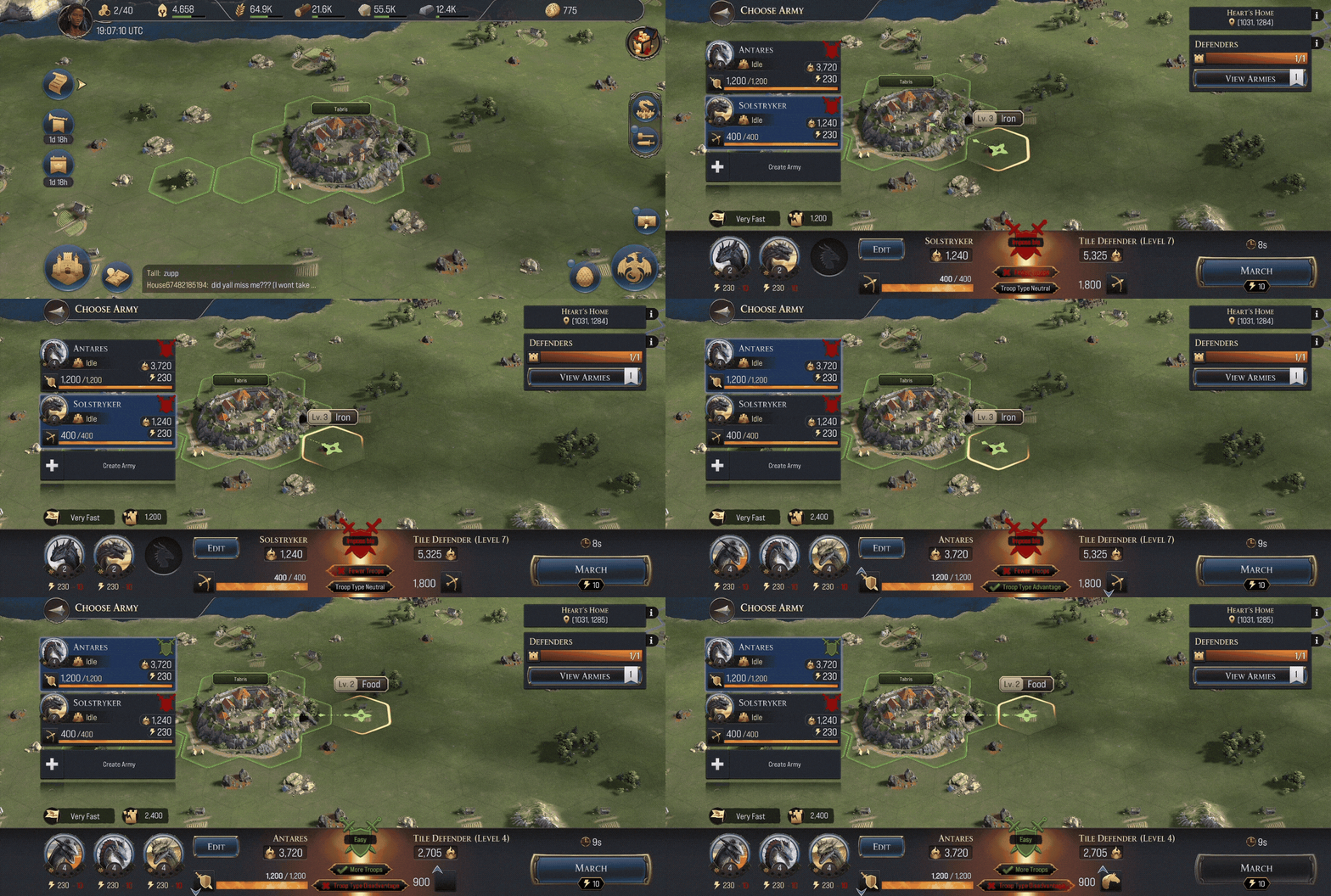
Be Warned! A level 3 resource could have level 7 tile defenders. Make sure to take note of your Dragon’s Reign Level and the tile defender level before attempting to take over a tile.
Note, unlike Star Rank, your dragon’s Reign Level restarts at the start of each new reign.
Troop Affinity & Troop Type Advantage
In the Army Builder, you’ll encounter two important systems that impact combat: Affinity and Troop Type Advantage.
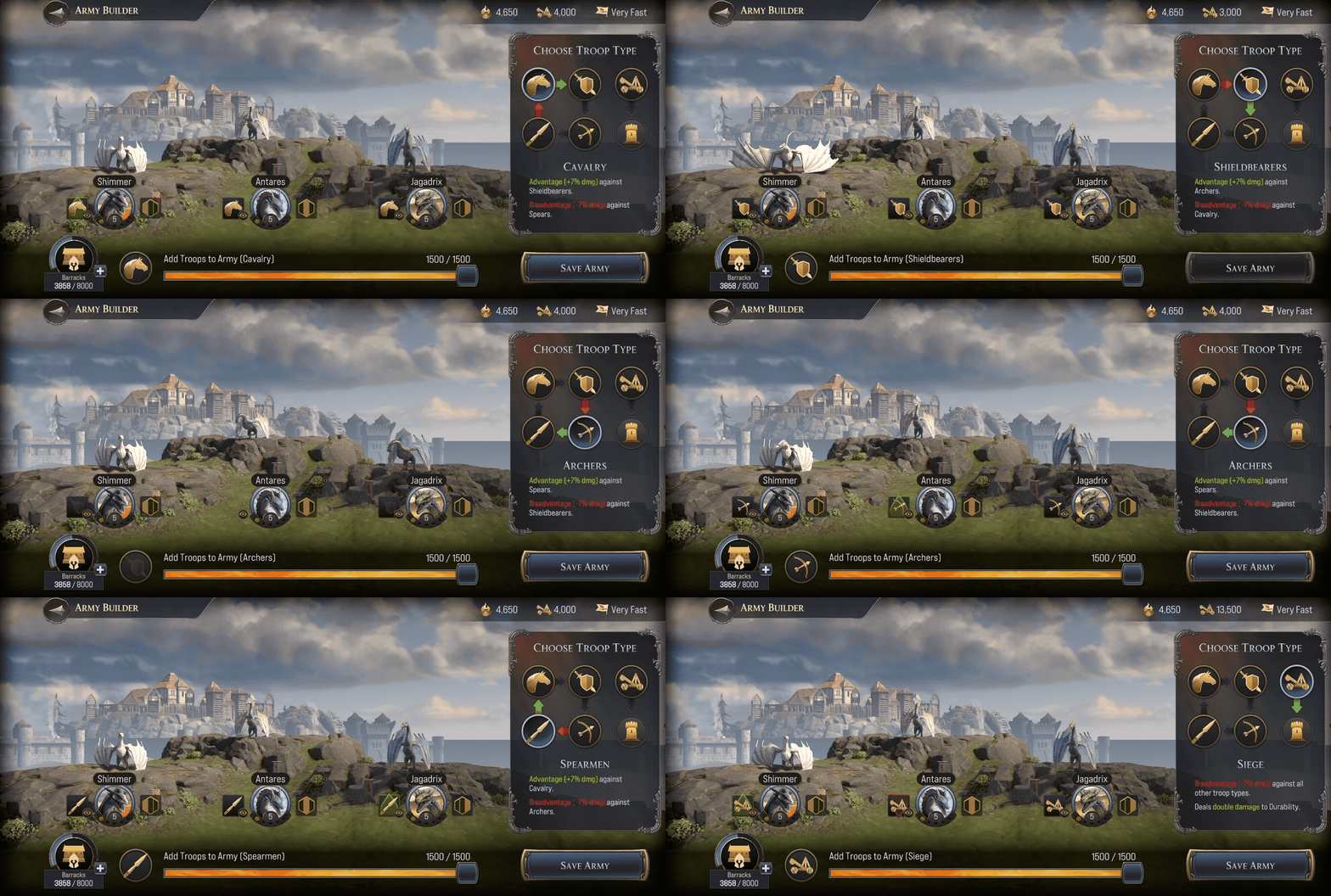
Affinity is a trait assigned to each dragon for each of the five troop types (Cavalry, Shieldbearers, Archers, Spearmen, and Siege). It determines how well a dragon pairs with a specific troop type.
Positive Affinity: Increases the dragon’s combat stats and boosts siege damage dealt.
Neutral Affinity: No effect on the dragon’s stats or siege damage.
Negative Affinity: Reduces the dragon’s combat stats and siege damage dealt.
Choosing troops that align with a dragon’s Positive Affinity can significantly improve performance, especially in siege-focused encounters.
Troop Type Advantage is a system that determines how different troop types perform against one another in battle:
Cavalry > Shieldbearers
Shieldbearers > Archers
Archers > Spearmen
Spearmen > Cavalry
Siege troops are weak to all troop types but deal increased damage to Durability, a stat found at specific Points of Interest.
Troop Advantage affects your army’s damage output in combat:
Advantage: Your army deals more damage, and the enemy deals less.
Neutral: No impact on damage dealt or taken.
Disadvantage: Your army deals less damage, and the enemy deals more.
To build an effective army, be sure to pick troop types strategically for Troop Advantage, and pair them with dragons that have Positive Affinity for those troops. This combination maximizes both dragon effectiveness and army performance.
You can create custom formations of your dragons, regardless of whether your dragon is assigned to a different army or if their health or stamina is depleted, by tapping the ‘Army Formations’ tab. Use these formations to quickly swap between different army configurations, without the hassle of manually reforming an army.
For more details on Durability and Points of Interest, check out our Map of Westeros Guide!
Dragon Breed
A dragon’s Breed is how we sort dragons by their specific abilities. Breeds do not determine what a dragon’s Troop Affinity is. But they do determine the type of Breedmarks you will need to upgrade a dragon’s Habits.
Champion: The All-Purpose Protectors
Primary Role
Suppressor
Damage Profile
Mixed (all types represented)
Primary Stat
Varied
Champions are the most adaptable dragons in the skies, capable of filling almost any role depending on the situation. Though their damage types and specialities vary widely, they all share a focus on reducing enemy threat through dampening attacks, weakening foes, or strengthening allies to endure more. Champions offer flexibility, making them ideal core units in teams that need balance, resilience, and a touch of everything.
Hunter: The Pressure Dealers
Primary Role
Debuffer
Damage Profile
Fire-focused, with some Physical
Primary Stat
Intelligence
Hunters excel at dismantling enemies over time. They rely on powerful fire attacks and debilitating effects to keep foes off balance, lowering enemy defenses, slowing their reactions, or reducing their offensive power. These dragons don’t just hit hard, they make sure their enemies stay vulnerable. Whether picking apart enemies from a distance or disrupting key threats, Hunters thrive when they’re making others weaker.
Sentinel: The Tactical Support Core
Primary Role
Buffer
Damage Profile
Tactical-focused, with some Fire
Primary Stat
Instincts
Sentinels are strategic specialists who uplift their allies while chipping away at foes with calculated strikes. Masters of Tactical damage, they bring strong support through healing, buffs, and battlefield control. Whether boosting ally strength, accelerating recovery, or softening the enemy for a clean finish, Sentinels turn the tide of battle not by brute force, but by enabling everyone else to shine.
Warriors: The Frontline Offense
Primary Role
Enhancer
Damage Profile
Physical-focused, with some Tactical
Primary Stat
Strength
Warriors dominate the battlefield through sheer power and momentum. Focused on physical damage, they also empower their team to hit harder and more effectively. These dragons aren’t just damage dealers, they amplify the entire army’s offensive potential. Whether smashing through enemies or strengthening allies’ attacks, Warriors ensure that battles are short, brutal, and in their favor. Remember to strategically place your dragons in places that will best suit their breed. This will lead to far better outcomes while taking over Points of Interest.