Author: Tabris

  • Dragonfire Guide Hub – Glossary

    Dragonfire Guide Hub – Glossary

    Welcome to our Guide Hub! Here, you can find guides, our glossary, and a link to some common questions about Game of Thrones: Dragonfire, the newest strategy and roleplaying game based in the world of House of the Dragon.

    Though, perhaps, you may see changes you don’t expect as you become more familiar with the world and characters here in Westeros.

    Table of Contents


    Stronghold Guide

    A Stronghold is the center of your capabilities in Dragonfire. This is where you can customize, build, upgrade, and train. Not only that, this is where your dragons lie, awaiting to be sent out to conquer new territory in your quest to conquer Westeros.

    In our Stronghold Guide, we go over all of the buildings currently available, from your Upgrades, to the Dragon Pit.


    A Guide to Dragons

    Caring for one’s dragon is a remarkable feat. Over many years of training, Elder Angar had learned the secret arts of hatching that had been closely guarded by only the most trusted in Targaryen service. Now he passes that knowledge to you.

    Our dragon guide dives into detail about how to hatch, grow and prepare your dragons for battle as they become formidable foes throughout the nine kingdoms.


    The Map of Westeros

    While perusing the combat map in Westeros, players may have come across strange tiles that are different from the usual resource tiles. Ruins, harbors, and perhaps even Seats of Power. These are Points of Interest, special locations and tiles on the world map that may bring you benefits on your conquest for King’s Landing.

    Our Map of Westeros guide will discuss game tiles, Points of Interest, Territory Influence, what they have to offer, and how to take them for your gain.


    A Guide to Campaigns

    As you play Game of Thrones: Dragonfire, Campaigns offer you a path into the heart of Westeros, playing through epic scenarios that shape the realm’s future.

    Our Guide to Campaigns will dive into the technical specifics of Reigns, Campaigns, and Stages. What you retain throughout reach reign, and what resets when you enter the next stage of your Worlds lifecycle.


    A Guide to Upgrades: Heirlooms

    Our Guide to Heirlooms dives into the specifics of the Heirloom system and how you can properly invest in the stats that will follow you from one reign into the next.


    An Introduction to Factions & Alliances

    Our introduction guide to Factions & Alliances dives into what Factions are, how to join an Alliance, and the benefits that come with sticking by those most loyal to your cause.


    Additional Resources on HBO Games Support


    Glossary

    Star RankYour dragon’s star level that can be retained between campaigns. The higher Star Rank your dragon is, the bigger they’ll grow,  the more stats they receive, allowing them to unlock new Habits!
    Reign LevelYour dragon’s Reign level determines how many troops you can attach to your army, and how powerful your dragon can become.
    Dragon RelicsShards of Rare, Epic, and Legendary rarities that are used to hatch new dragons and increase that dragon’s Star Rank
    Breedmarks & Rarity CoresItems that can be used to upgrade a dragon’s Habits. Both are needed to upgrade a habit, and each is dictated by a dragon’s Breed and Rarity.
    Dragonbone
    Dragonglass, or Dragonfire Keys
    Items that open Dragon Chests, in which you receive Dragon Relics from.
    CommandsSpecialized abilities that dragons can use during combat, which have a chance to activate randomly during each round of combat. A dragon’s Command is directly related to their Star Rank and the amount of Dragon Relics you have collected.
    TroopsTroops support a dragon in combat. When a dragon runs out of troops, it is forced to retreat back to your Stronghold or garrison. 
    Troop AffinityAffinity is a trait assigned to each dragon for each of the five troop types (Cavalry, Shieldbearers, Archers, Spearmen, and Siege). It determines how well a dragon pairs against a specific troop type.
    Troop Type AdvantageDetermines how different troop types perform against one another in battle:
    • Cavalry > Shieldbearers
    • Shieldbearers > Archers
    • Archers > Spearmen
    • Spearmen > Cavalry
    • Siege troops are weak to all troop types but deal increased damage to Durability.
    DefendersNon-player troops placed on a tile that guard Points of Interests or resources.
    DurabilityTile health that is weak to Siege Troops.
    StrongholdsA player’s city that provides access to the Throne Room, Barracks, Upgrades, and the Dragon Pit. This is the central base where you can build, upgrade, and train units. 
    World Map Map that shows the entirety of Westeros.
    Tile MapAlso known as the combat map, this is where a majority of tile interactions can be done.
    TileA single hexagonal coordinate on the tile map.
    ResourcesThe name for Food, Wood, Stone or Iron. These can be collected via resource tiles, events , the Stronghold via upgrades or via the Store.
    Resource TileA level two or higher tile that provides a specific resource.
    FieldsA level 1 resource tile that provides a small smattering of all resources.
    Impassable TilesTiles that armies cannot move to or claim. but can path across when marching to an appropriate tile.
    • Mountains
    • Water
    • Coastal Cliffs
    • Natural Landmarks (ex. Rushing Falls, Hollow Hill)
    TerritoryThe total number of tiles a player owns or has the capacity to own.
    KingdomsWesteros is divided into 9 Kingdoms. Each Kingdom is ruled by a Great House, has a capital city, and is made up of a select number of Regions.
    RegionsA collection of tiles associated with a specific Kingdom and Seat of Power. 
    FactionsA group of allies who fight beside you. Work together to capture Seats of Power and complete key Campaign Goals and Stage Objectives.This will indicate where you begin your journey, and who your direct foes will be, as well as your potential allies. 

    If you’re in an Alliance, your Leader will decide which Faction you belong to.
    AllianceA smaller group within a faction of your closest allies. You can create your own Alliance or join an existing one.
    Seat of PowerA special Point of Interest when claimed will give a faction control over a Region.
    CapitalsA more powerful Seat of Power, associated with the appropriate Great House.
    ReignAn event arc, or season, that takes place over the course of a couple of months. When a Reign ends, and a new one begins, with it comes a new Campaign, events, and opportunities.
    CampaignThe story in which you will go through over the course of a Reign
    Campaign GoalsLong-term goals and Quests that all players across a World will attempt to complete over the course of a Campaign.
    Campaign StagesQuests that guide players towards objectives throughout a Campaign.

    Join us on Discord to get involved with the Community and talk directly with our development team!

  • An Introduction to Factions & Alliances

    An Introduction to Factions & Alliances

    “I hear you treat your soldiers like kin. Warm meals, steady pay, words of praise. An odd indulgence. Armies don’t fail when courage breaks. They fail when the barracks run dry, and there’s no one left to bleed.” Rodrick Blackthorne

    Factions and Alliances are the backbone of your success in Game of Thrones: Dragonfire. Let us dive into what Factions are, how to join an Alliance, and the benefits that come with sticking by those most loyal to your cause.

    Table of Contents

    Factions

    At the start of your first Reign, you’ll join a Faction made up of fellow players who fight beside you. You’ll work together to capture Seats of Power and complete key Campaign Goals and Stage Objectives.

    You can select the Faction you prefer to be part of at the end of each Reign, though this is not guaranteed. This is to keep populations across your world equal, so every dragonrider has the chance to have exciting battles with enemies and allies alike. Selecting the Mercenary option will randomly place you in one of the provided factions, and gift you a select amount of gold.

    Some Reigns may even feature new Faction Leader characters to follow! Team up with regional allies to capture Seats of Power and complete large-scale tasks for top rewards!

    Curious about Campaigns and Reigns? Read through our Guide to Campaigns!

    Alliances

    Once a Campaign has begun, you can join forces with players in your Faction to gain powerful advantages and build lasting bonds! Join or create an alliance to celebrate victories and achieve more together than you could alone!

    Not only are you able to defend each other’s tiles and strongholds, but only players part of Alliances can hold docks, tunnels, and towns. These strategic sites unlock powerful control of the map and allow other players in your alliance to share those tiles for adjacency or to station armies on them.

    Alliances are persistent across Reigns, allowing dragonriders to carry a team identity and legacy forward. Factions will always fluctuate, but your Alliance will remain secure.

    Note: Alliances are limited to players in the same World and Faction. When a new Reign begins, your Alliance Leader chooses which Faction you’ll fight for next.

    Create or Join an Alliance

    Spend Gold to create your own Alliance and shape its identity. Choose a name, description, banner, and the primary language your group will communicate in. Decide if your Alliance is open to all players or invite-only, then watch as new members join your ranks!

    If you want to join an Alliance, use the Alliance Finder to see suggestions based on your World and Faction.

    • Open Alliances – Join instantly.
    • Invite-Only Alliances (Closed) – Apply and wait for approval. You can also message the leader to strengthen your case.

    Once accepted, you’ll gain access to Alliance Chat, where you can coordinate, strategize, and connect with your new allies.

    Positions

    When you first join an alliance, you will be labeled as a noble. This title grants no additional permissions other than access to the alliance itself.

    • Councilors are alliance members who have been granted the ability to invite and kick alliance members as needed.
    • Wardens are alliance members who have been granted all the permissions a Leader can do, but cannot grant the Warden title. However, they may be able to grant Councilor and Noble titles as necessary.
    • Leaders are the creators of your alliance. They can grant all permissions and can kick and remove alliance members at will.

    Councilors, Wardens, and Leaders can create a maximum of 10 Map Pins per Alliance to use on the Combat and World Map. Direct other members of your alliance to selected locations and customize the description, icon, and the time your alliance should arrive at a pinned location.

    You can invite new nobles to an alliance through a player’s profile! Invited players must visit the Allegiance panel to receive the notification, so you may wish to notify highly sought-after Dragonriders of your invite through direct message.

    Usurp

    Leaders are not immune to a mutiny.

    As a Warden, Councilor, or Noble, you are empowered to unseat an alliance leader who neglects their duties. If a leader has been idle for 72 hours or more, players within the alliance can begin the process to Usurp control.

    The leader must return within 24 hours once a mutiny has commenced, otherwise they will be usurped and lose their position. Wardens will then have 24 hours to claim the title of leader, followed by any Councilors 24 hours after. Failing any Wardens or Councilors claim the position, all alliance members will have a claim to the title.
    You can locate the ‘Usurp’ option within the Alliance Member Panel once a leader has been idle for 72 hours.

    Looking to find friends in another faction or world? Join our Discord, and view the 🖋️#recruit channel to take note of who’s looking for active members!

  • A Guide to Upgrades: Heirlooms

    A Guide to Upgrades: Heirlooms

    War is no game, and treason cannot go unaddressed.”– Otto Hightower

    Heirlooms are perhaps some of the most strategic upgrades you can maintain as you make your way through the kingdoms of Westeros. Let us dive into specifics of the Heirloom system and how you can properly invest in the stats that will follow you from one reign into the next.

    Table of Contents

    Heirlooms

    Heirlooms are permanent upgrade trees that allow you to invest in powerful stat improvements that can follow you from one reign to the next to strengthen your Stronghold over time. Gaining access and continuously making use of these permanent upgrades requires strategic planning, as your House Level determines which Heirloom upgrades are active.

    Currently, there are two Heirlooms available.

    • Dragon Growth focuses on dragon growth, effectiveness, and dragon-related stats.
    • Realm Expansion focuses on economy and territory expansion.

    Tap the ‘Heirlooms’ icon within your Stronghold to view the Heirlooms currently available to upgrade.

    How it Works

    Each Heirloom tree contains many upgrades, all of which you can invest into at any time in any order you would like. Each Upgrade increases a certain stat based on how many Upgrade Ranks you have invested to increase its effectiveness.

    To properly upgrade these trees, you must first collect the appropriate currency to unlock a specific upgrade.

    Runic Fragments can be earned upon defeating select monster encounters upon the combat map such as Hedge Knights.
    You will often find Valyrian Tablets in rewards associated with your team, like Alliance log in rewards or progressive Event rewards
    Dragon Lord Scrolls can primarily be found by holding Dragon Lord’s Sanctums on the combat map. This is a special Point of Interest that must be claimed in order to earn the currency. They can also be found in other in-game locations.
    Amplifier Seals can be found by holding higher level nodes on the combat map. These seals are required to upgrade Amplifiers that increase the value of Heirloom upgrades that orbit them.

    Amplifier

    At the center of every group is a special Amplifier that enhances the effectiveness of all connected Heirloom Upgrades.

    Every amplifier Upgrade Rank will increase the stat of the orbiting upgrades by the Amplifier’s percentage stat. Unlike other Heirloom Upgrades, Amplifiers require Amplifier Seals.

    House Level

    Your House Level determines which Heirloom Upgrades you benefit from after being unlocked. The higher your House Level, the more Heirlooms that you can benefit from. You increase your House Level by collecting House XP. Earn XP through Chapter Quests and Events.

    Your House Level is seasonal and resets at the beginning of every Reign. While unlocked Heirloom Upgrades carry over, you must achieve a higher House Level in order to activate the buffs from any Heirloom Upgrades you had acquired in a previous campaign.

    You can also invest in Upgrades before you have the required House Level for activation. These unlocks immediately apply once you reach the required House Level.

    Mastery

    Each Heirloom Upgrade Rank grants a permanent Mastery bonus, that is active regardless of House Level. This bonus grows stronger as you purchase more Upgrades in a specific Heirloom and persists at all times throughout each reign.

    Make use of this progress to level up your power appropriately!

  • A Guide to Campaigns

    A Guide to Campaigns

    As you play Game of Thrones: Dragonfire, Campaigns offer you a path into the heart of Westeros, playing through epic scenarios that shape the realm’s future.

    This guide will dive into the technical specifics of Reigns, Campaigns, and Stages. What you retain between reigns, and what resets when you enter the next stage of your World’s lifecycle.

    Table of Contents


    Reigns & Campaigns

    Your World is the server your stronghold resides on, and is where you will meet players across different factions! When you join a world for the first time, you will be on a new server with new players playing through your first Reign and first Campaign.

    Reign is an event arc, or season, that takes place over the course of 8 weeks. When a Reign ends, a new one begins, and with it may come a new Campaign, events, or other opportunities.

    Campaigns are the story in which you will go through over the course of a Reign. Like reigns, these goals and opportunities last around 8 weeks. Because Campaigns can change based on the decisions you make and the battles you win, these can potentially be replayed in future Reigns.


    Campaign Stages

    You will progress in your Campaign through Campaign Stages. These are time-limited  phases associated with a particular part of the Campaign that offer different objectives, effects, rewards, and story moments.

    Stages only last for a set time, so act quickly. Complete objectives to claim rewards once the stage concludes! Some stages will even offer special effects or buffs that change how the game is played—for example, realm modifiers such as shorter Stalemates or more Tile Capacity could appear!

    Make sure to claim these rewards before the campaign ends, otherwise they will not transfer to the next reign.

    Plan ahead, stay flexible, and adapt as each new stage unfolds!

    image1.gif

    Campaign Goals

    Campaign Goals last the duration of the Campaign. As you complete goals, you’ll be able to earn rewards that strengthen your dragon collection for future battles.  For both Stage and Campaign goals, you have two distinct places to earn rewards.

    First, Faction Goals. These are team-based objectives that you must complete with your allies. Working together earns greater rewards!

    Second, Personal Goals. These are objectives you complete on your own to gain additional keys and other resources, such as meat.

    You must reach Stronghold Tier 10 before the Reign ends in order to claim rewards from Faction or Personal Campaign Goals. You’ll be able to claim the rewards in your mail at the start of the next Campaign!


    End of Campaign

    Once you reach the end of a campaign, some things will change going into your next Reign. After all, the game is won, and the next game of thrones will begin.

    You will automatically shift to a new reign, and potentially a different campaign. Currently there are 2 campaigns available- Heirs of the Dragon & Shadow of the Greens.

    Heirs of the Dragon is unique as an introductory campaign, and you will likely never repeat it once completed.

    During this time, worlds may go through a transition. A transition is the process of integrating two or more worlds into one reign. This is usually an automatic activity the game will take, and will almost always occur right before a new reign begins. There are many factors the game uses to determine which worlds are transitioned together.

    But you can expect to transition with worlds whose Campaigns end around approximately the same times as yours.

    Progress Items List

    Certain progress resets. This means the following items you may have leveled up or earned will be removed or reset.

    • Dragon Reign Level
    • Stronghold Upgrades
    • Tile Ownership
    • Territory Influence
    • Meat
    • Resolve
    • Food, Wood, Stone, & Iron

    The following items are retained between reigns and will not be removed from your inventory.

    • Gold
    • Dragons
    • Dragon Eggs
    • Dragon Star Rank
    • Dragon Habits
    • Dragonbone, Dragonglass, Dragonfire Keys
    • Dragon Relics
    • Relic Shards
    • Breedmarks
    • Rarity Cores
    • Gold Store Bonus Progress
    • Permanent Third Builder
    • Campaign favors

  • Stronghold Guide

    Stronghold Guide

    Tell me about yourself, and I’ll do my utmost to serve you with all the knowledge I’ve gathered.”– Maester Barneby

    Stronghold is the center of your capabilities in Dragonfire. This is where you can customize, build, upgrade, and train. Not only that, this is where your dragons lie, awaiting to be sent out to conquer new territory in your quest to conquer Westeros.

    In this guide, we’ll be going over all of the buildings currently available in your Stronghold, from your Throne Room to the Barracks, Upgrades, and the Dragon Pit.

    Table of Contents


    The Throne Room

    The Throne Room is where your player profile is located. You can view your Faction, personalize your name and portrait, and select your Great House. Once you select your ‘History’ and ‘Ambitions’, this will create your unique backstory.

    Here you can personalize your Banner, this sigil will represent your marches while on the tile map.

    Once you have your desired selection, tapping the ‘Save‘ button will store the information on your profile and make it publicly available for other players to view.

    In addition, the Throne Room is where you can access your Settings. 

    On the left side panel, you can find your World ID, the server you are playing on as well as your Build Number, which informs you of the version of the game you are running on your device.

    Submit a ticket to our Support team by tapping the ‘Support’ button. This will directly link the account to your email address.


    Upgrades

    The Upgrades panel is where you can make enhancements to your stronghold, troops, and dragons. Doing so may improve the amount of troops you can train, the amount of resources a stronghold can produce, the amount of army slots you can use, or the amount of troops a dragon can lead.

    Infrastructure

    Upgrades in the Infrastructure tab will focus on enhancements to your stronghold. This means upgrades to your Barracks, to train and house larger armies, or upgrades to your resource production.

    • Granaries will provide additional Food.
    • Quarries will provide additional Stone.
    • Lumber Mills will provide additional Wood.
    • Foundries will provide additional Iron.

    Upgrading the above will allow you to produce more resources over-time until you reach your maximum capacity. When that occurs, your Storehouse  allows you to increase that capacity to hold more resources than before.

    Make sure to train toward Rapid Recruitment as quickly as possible, as you will be able to train more troops per second, allowing you to quickly replenish troops once they perish on the tile map.

    War Tactics

    Upgrades in the War Tactics tab will focus on enhancements to your troops in combat. Here is a list of some of the upgrades that are available.

    • Army Expansion unlocks additional army slots.
    • Swift Stride will speed up all army march times.
    • Relentless Assault will increase your army’s damage to non-player armies.
    • Stalwart Defense reduces damage your army takes from non-player armies.
    • Cavalry, Archers, Spearmen, and Shieldbearer Attack increases the damage dealt for armies using the appropriate troop type.
    • Combat Training will increase how much experience your dragons gain in battle against non-player enemies.
    • Cavalry, Archers, Spearmen, and Shieldbearer Defense reduces the damage received for armies using the appropriate troop type.
    • Siege Precision increases the amount Siege Damage your armies deal.
    • Rapid Reposition will allow players to reinforce garrisons faster and march quicker to them.
    • Ruins Reinforcement will allow players to garrison additional armies in ruins.

    Dragon Care

    Upgrades in the Dragon Care tab will focus on enhancements to your dragon’s army capabilities. Here is a list of some of the upgrades that are available.

    • Dragon’s Army increases how many troops each dragon adds to your armies.
    • Might of Valyria increases every dragon’s strength.
    • Wisdom of Valyria increases every dragon’s intelligence.
    • Conqueror’s Instinct enhances every dragon’s Instinct.
    • First Flame enhances every dragon’s initiative.
    • Hunter’s, Sentinel’s, Warrior’s, and Champion’s Attack increases the damage dealt by dragons of the appropriate breed.

    Hunter’s, Sentinel’s, Warrior’s, and Champion’s Defense reduces the damage received by dragons of the appropriate breed.

    NOTE: Stronghold upgrades reset at the start of each new campaign, so take advantage and attempt different strategies to prepare for the next


    Barracks

    The Barracks is where you can train and store troops to use on the tile map. These troops are generic, and once you assign them to an army you will be able to determine which troop type you would like them to be.

    This panel will display the troops you have, the troops you’ve stored, as well as the cost and time to train additional forces.


    Armies

    The Armies tab is where you can create armies to send out on marches into the world of Westeros. Tapping the ‘Create Army’ button will send you to the ‘Army Builder.’ Once there, select your dragons, troops and build your army to your specifications.

    Learn more about how to perfect an army in our Guide to Dragons!


    Dragon Pit

    The Dragon Pit is where you can view the dragons you have collected from the Hatchery. In the right side panel, you can view a Dragon’s rarity, breed, troop affinity, Star Rank progression, Reign level, Habits and unique Command. In the left panel, you can view all of the dragons you have collected and those you have left to discover.

    • Dragon Rarity reflects the Hatchery drop rate. This, in turn, will affect a Dragon’s maximum power and overall impact in combat.
    • Star Rank is a progression system that can be upgraded by collectingDragon Relics in the Hatchery. The higher Star Rank your Dragon is, the more powerful they are. Star Ranks increase a dragon’s stats and unlock new skills, called Habits. Star Ranks are retained between Reigns.
    • Regin Level is increased by using dragons in combat, where they will gain experience based on the number of enemy troops killed. Increasing a dragon’s Reign level will help them fight against higher-level tiles and enemies. Unlike Star Rank, Reign Level will restart at the beginning of each new reign.

    Boost Center

    The Boost Center is where you can view all currently active Boosts, Bonuses and Efficiencys. These can be acquired from multiple sources.

    • Personal Boosts can be applied instantly on receiving them. You may receive them as rewards, or you can also purchase them from the store.
    • Realm Bonuses are applied to all players within your realm. Know your strengths before you make your move!

    E (Efficiency) determines the cost of resources, upgrades, and other actions in Dragonfire. For example:

    New Cost = (1000 / (1000 + E))* Original Cost

    If you have +1000 E to complete Stronhold projects, the time to finish the project is decreased by half. E is the strongest when stacking from many sources.


    Heirlooms

    Heirlooms are perhaps some of the most strategic upgrades you can maintain as you make your way through the kingdoms of Westeros.

    This is a permanent upgrade trees that allow you to invest in powerful stat improvements that can follow you from one reign to the next to strengthen your Stronghold over time. Gaining access and continuously making use of these permanent upgrades requires strategic planning, as your House Level determines which Heirloom upgrades are active.

    Tap the button below to view our dedicated guide, as we dive into the specifics of the Heirloom system and how you can properly invest in the stats that will follow you from one reign into the next.


    Dragon Strike

    Take to the skies to hunt threats across the Seven Kingdoms of Westeros!

    Tap the ‘Dragon Strike’ button within your stronghold to take flight, complete levels, and earn rewards to strengthen your Dragons and Stronghold. Progress persists across reigns, and replay to master each level for additional rewards!


    Market

    The Market is where you can purchase and exchange items for preferred goods! You can find this above the the ‘Navigator’ button on the left hand side of the tilemap.

    Tap the ‘Resources’ tab to exchange gold for Food, Wood, Stone and Iron. You can also exchange one resource for another, after all the center you keep may benefit from a little local bartering.

    Tap the ‘Relic Shards’ tab to exchange Dragon Shard Dust for Dragon Relics and Dragonbone Keys. Dragon Shard dust can only be obtained when you receive relics from dragons you have already upgraded to their maximum Star Rank.

    Tap the ‘Gold’ tab to exchange relics and Dragon Glass Keys for Gold.


    Relocation

    Your stronghold has the ability to relocate to a different location on the tilemap. Whether it’s to gain higher level resource tiles, or reduce march and reinforcement times, as you slowly expand your influence you will need to move forth to take appropriate action.

    Be warned, you can only relocate your stronghold every 2 days. If successful, all marches will be recalled to the new stronghold location.

    Note that allied faction members cannot block a player’s new relocation, but enemies can. Proximity to where you are fighting provides a lot of advantages, but can put your stronghold in the sights of your enemies. If an enemy conquers a tile you need to relocate before your relocation march arrives, the relocation will fail. Thankfully, no cooldown will be used and you can attempt to relocate again.

  • The Map of Westeros

    The Map of Westeros

    While perusing the combat map of Westeros, you will come across tiles that are different from the usual resource tiles. Ruins, docks, and perhaps even Seats of Power. These are Points of Interest, special locations and tiles that will bring you and your allies benefits on your conquest for King’s Landing.

    Let us dive into a comprehensive guide about specific map tiles, Points of Interest, Territory Influence, what they have to offer, and how to take them for your gain.

    Table of Contents


    Tile Map

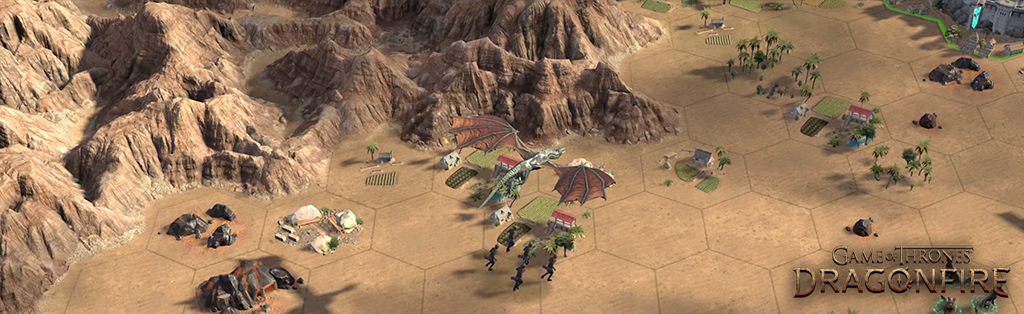
    The tile map, also known as the combat map, is where all of your Player vs Enemy (PvE) & Player vs Player (PvP) interactions will take place. Here you will find a garden of tiles and encounters for the taking.

    You can look up specific tiles, and encounters by making use of the Navigator. Tap the ‘search’ icon on the combat map. Select the type and level of tile you would like to find matches in a 100×100 area around your camera’s current position. Your camera will jump to the nearest match, and the tile will be highlighted.

    Every tile is protected by Tile Defenders and has a Durability amount.

    • Tile Defenders are one or more armies stationed to protect the tile. When you take over a tile, you can also station your army there to protect it.
    • Durability is the amount of Siege damage a tile can take before it is conquered. Siege type troops deal the most damage to Durability. Neutral resource tiles usually have extremely low Durability, but Points of Interest often have lots of durability.

    To conquer a tile you must defeat all Defenders before you can deal Siege damage to the tile’s Durability. Once Durability reaches 0, the tile can be conquered. If a tile is attacked but not conquered, a timer will show when the Defenders will return.

    Once you conquer a tile, you have protection for 3 minutes until it expires, after which enemy players can attempt to claim them.

    Conquering tiles may increase your food, wood, stone, and iron production as well as provide other benefits depending on the tile type. Resource tiles are among the most common tiles, alongside fields. These will grant resources over time once they become part of your territory, and are the best way to upgrade your Dragon’s Reign Level.

    When taking over a tile, you may find it color-coded. This indicates who owns the tile:

    Grey

    A player does not own these tiles.

    Green 

    You’ve claimed these tiles in battle, and you own them.

    Purple

    Your faction or a player in your faction owns these tiles. You can conquer tiles next to faction tiles, but take note. It’s best to be courteous to fellow Faction members and not claim tiles they are actively marching towards. Otherwise, you may end up becoming more of an enemy than a friend.

    Blue

    Your alliance or a player in your alliance owns these tiles. You can use these tiles to your advantage to move troops across the combat map.

    Red

    A rival faction owns these tiles and will actively harm your campaign to take over King’s Landing. Conquering these tiles will reduce your rival’s resource production, limit the mobility of their armies, and draw a line in the sand. Each enemy faction shows as Red on the combat map.

    Keep these colors in mind as you expand your influence.


    Territory Influence

    Your Territory Influence is the total number of tiles you can conquer. Increase your territory to expand your control.

    For every 100 Territory Influence points you obtain, your tile capacity will increase by 1. Throughout a campaign, you will earn 100 Territory Influence every 24 hours. You can earn Territory in other ways as well, either by completing Chapter Quests or Campaign Stages.

    Additionally, some Campaign Stages provide temporary boosts—such as increased tile cap or cheaper troops—which are not part of your rewards or Influence, but still affect your total tile capacity.

    To view the tiles you have conquered, tap the tile icon next to your profile photo on the combat map. Here you can easily abandon tiles based on level.


    Encounters

    While perusing upon the Tile Map, you may come across some strange Encounters.  These are non-player enemies that you can defeat to gain unique and valuable rewards and potentially use to progress through certain active Events.

    Hunting uses Resolve, a special energy that regenerates over time. You do not need to be connected to a tile to attack an encounter and defeating an encounter will not grant you ownership of that tile.

    Take note, some encounters might take multiple armies to bring down!

    Wild Dragon encounters are a primary source of Breedmarks, items used to progress your dragon’s Habits. You can read more about Habits in our Dragon Guide.

    Remember, each breed of Wild Dragon drops a specific Breedmark, and will have a weakness to a specific breed, so be sure to prepare!


    Impassable Tiles

    You may notice as you continue your journey through the nine kingdoms that some tiles cannot be claimed, and can only be pathed across when marching toward a different tile.

    These are Impassable Tiles. Far too dangerous for even a Dragon to attempt to claim. After all, if you were to fall in battle, it would be extraordinarily difficult to bring you home. Mountains, Water, Cliffs, and specific natural landmarks are exempt from being claimed.

    But, if you would like to pass across those mountains anyhow, how would you do it? This is where you can find Strategic Tiles. These are Points of Interest that allow for exploration and movement across the map. Keep an eye out for Docks that cross water, and Tunnels that go through mountains. Note that you will have to take both sides of the crossing to move through!

    Ruins, Towns & Castles

    Ruins act as a personal garrison point once conquered. Much like regular tiles, you will be able to claim it once you defeat the non-player defenders and reduce the durability to zero.

    With a garrison come many benefits. Not only are you able to change troop types and adjust dragon lane assignments, but you also have the following benefits:

    • Armies will march faster from your Stronghold when sent to a garrison.
    • Armies reinforce faster while at a garrison.
    • Garrisoned armies return to the ruin when recalled or defeated, not your Stronghold.

    Towns and Castles will also act as a garrison point once conquered. Unlike Ruins which act as a personal garrison, Towns and Castles are owned by the faction and enable all members of the faction to garrison armies in said point of interest. These act as rally points for invasion or defense of a region.

    High-level Castles can provide more garrison slots for your factions’ armies. From level 1 – 3, a Castle can host two armies, and level 4+, a Castle can host up to three armies.

    Take note! All Points of Interest no matter the size will only provide 1 army worth of experience.
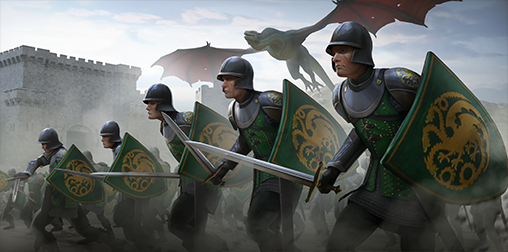
    Train your combat abilities on these Points of Interest, as they will behave similarly to Seats of Power.


    Seats of Power

    When you first join the fray, you can choose one out of three factions: North, Central & South. This will indicate where you begin your journey, and who your direct foes will be, as well as your potential allies.

    Unlike Alliances, the Factions you join are not permanent, and will restart at the beginning of each Reign.

    Within these three factions lie 9 Kingdoms with a ruling House and associated Seat Capital, the ultimate Seats of Power.

    KingdomHouseCapitalRegions
    DorneMartellSunspear15
    The CrownlandsTargaryenKings Landing &
    Dragonstone
    6
    The Iron IslandsGreyjoyPyke3
    The NorthStarkWinterfell15
    The ReachHightowersOldtown20
    The RiverlandsStrong
    Tully
    Harrenhal & Riverrun9
    The StormlandsBaratheonStorm’s End12
    The ValeArrynThe Eyrie9
    The WesterlandsLannisterCasterly Rock10

    Each Kingdom is divided into regions that are owned and managed by smaller families underneath the great houses. This is where the true battle begins, as claiming the Seat of Power in a region claims the entire region for your Faction, and prevents enemies from relocating into the region. This is key to improving your strategic influence for Capitals, and in turn, that Kingdom.

    Seats of Power are heavily defended and have high Durability, requiring well-coordinated attacks with allies to conquer. When a faction conquers a Seat of Power, they control the region, blocking enemy relocations and providing defensive bonuses to faction-owned tiles in the area.


    Conquering Points of Interest

    Each location presents different challenges. Consider the terrain, distance from Towns or Castles, and the presence of rival players as you coordinate with your faction.

    Secure nearby bases

    Conquer nearby Ruins, Towns, or Castles and use them as garrisons to quickly replenish troops.

    Relocate your Stronghold

    The closer you are, the faster you can reinforce your armies, and rotate in new dragons.

    Coordinate your Strategy

    Plan the time of your attack, as once the battle starts you will need to secure the Point of Interest before the non-player defenders replenish.

    Assemble your Forces

    Gather at a connected tiles with at least one army to combat the defenders and one siege army to reduce durability.

    Clear Defenders

    Defeat defenders before deploying siege armies; otherwise, you might suffer a heavy loss.

  • A Guide to Dragons

    A Guide to Dragons

    With care and patience, these relics shall yield a dragon to soar at your side.” – Elder Angar

    Caring for one’s dragon is a remarkable feat. Over many years of training, Elder Angar had learned the secret arts of hatching that had been closely guarded by only the most trusted in Targaryen service. Now he passes that knowledge to you.

    In today’s guide, we will be diving into detail about how to hatch and grow your dragons to become formidable foes throughout the seven kingdoms.

    Table of Contents


    Hatchery

    The Hatchery is where you can claim Dragon Relics – relics of Rare, Epic, and Legendary rarities that are used to hatch new dragons and increase that dragon’s Star Rank.

    Star Rank is your dragon’s Star level that will be retained between campaigns. The higher Star Rank your dragon is, the better stats they will receive.

    Chests can be opened by DragonboneDragonglass, or Dragonfire Keys. Keys can be collected from completing Chapter Quests, completing personal and faction objectives in Campaign Stages, and limited-time activities. While Dragonbone Keys are more plentiful, other valuable keys will appear as potential rewards.

    To access the Hatchery and open a Dragon Chest, tap the Dragon Egg icon in the bottom right-hand corner of the tile map.


    Abilities

    If you need a refresher from our Stronghold Guide, the Dragon Pit is where you can view the dragons you have collected from the Hatchery.

    While here, you may see that each of your Dragons will have a unique ‘Command‘. These are special abilities that dragons can use during combat, which have a chance to activate each round during combat.

    A dragon’s Command is unique to each dragon and defines its core battlefield ability. A dragon’s overall power is influenced by its Star Rank and the number of Dragon Relics you’ve collected for that specific dragon.

    In addition to their Command, dragons can unlock Habits — powerful passive abilities that can be unlocked through a Dragons Star Rank and upgraded through Breedmarks and Rarity Cores, further boosting their effectiveness in battle.

    Both Breedmarks and Rarity Cores are needed to upgrade habits, and each is dictated by the dragon’s Breed and Rarity. Rarity Cores and Breedmarks can be earned through various rewards, offers, and chests. You can view these currencies within the Dragon Pit.

    Take note, once a Habit is upgraded, it will be a permanent addition to your Dragon, and will persist throughout the next reign.


    Reign Level

    In both the Dragon Pit and Army Builder, you’ll see your dragon’s Reign Level. Reign Level reflects your dragon’s current level during a campaign. As your dragon gains experience and levels up, their max army size and combat stats (Strength, Instincts, Intelligence, and Initiative) increase–making them and their army more powerful. If you’re falling behind, you can always increase your dragon’s reign level by feeding them Meat! You can collect meat through events, chapter quests, stages, and by defeating enemies on the tile map. Feed your dragon by tapping the meat icon within the Dragon Pit.
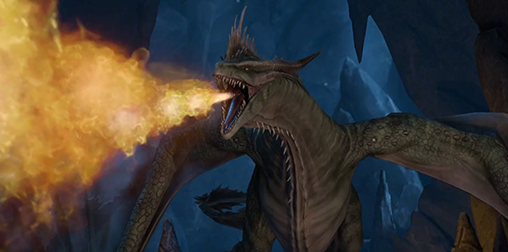
    While there’s no level requirement to attack specific tile levels, stronger dragons are better suited for tougher enemies. Higher Reign Level dragons give you a better chance at conquering higher-level tiles and defenders. Be Warned! A level 3 resource could have level 7 tile defenders. Make sure to take note of your Dragon’s Reign Level and the tile defender level before attempting to take over a tile.

    Note, unlike Star Rank, your dragon’s Reign Level restarts at the start of each new reign.


    Troop Affinity & Troop Type Advantage

    In the Army Builder, you’ll encounter two important systems that impact combat: Affinity and Troop Type Advantage.

    Affinity is a trait assigned to each dragon for each of the five troop types (Cavalry, Shieldbearers, Archers, Spearmen, and Siege). It determines how well a dragon pairs with a specific troop type.

    • Positive Affinity: Increases the dragon’s combat stats and boosts siege damage dealt.
    • Neutral Affinity: No effect on the dragon’s stats or siege damage.
    • Negative Affinity: Reduces the dragon’s combat stats and siege damage dealt.

    Choosing troops that align with a dragon’s Positive Affinity can significantly improve performance, especially in siege-focused encounters.

    Troop Type Advantage is a system that determines how different troop types perform against one another in battle:

    • Cavalry > Shieldbearers
    • Shieldbearers > Archers
    • Archers > Spearmen
    • Spearmen > Cavalry
    • Siege troops are weak to all troop types but deal increased damage to Durability, a stat found at specific Points of Interest.

    Troop Advantage affects your army’s damage output in combat:

    • Advantage: Your army deals more damage, and the enemy deals less.
    • Neutral: No impact on damage dealt or taken.
    • Disadvantage: Your army deals less damage, and the enemy deals more.

    To build an effective army, be sure to pick troop types strategically for Troop Advantage, and pair them with dragons that have Positive Affinity for those troops. This combination maximizes both dragon effectiveness and army performance.

    You can create custom formations of your dragons, regardless of whether your dragon is assigned to a different army or if their health or stamina is depleted, by tapping the ‘Army Formations’ tab. Use these formations to quickly swap between different army configurations, without the hassle of manually reforming an army.

    For more details on Durability and Points of Interest, check out our Map of Westeros Guide!


    Dragon Breed

    A dragon’s Breed is how we sort dragons by their specific abilities. Breeds do not determine what a dragon’s Troop Affinity is. But they do determine the type of Breedmarks you will need to upgrade a dragon’s Habits.

    Champion: The All-Purpose Protectors

    Primary Role

    Suppressor 

    Damage Profile

    Mixed (all types represented) 

    Primary Stat

    Varied

    Champions are the most adaptable dragons in the skies, capable of filling almost any role depending on the situation. Though their damage types and specialities vary widely, they all share a focus on reducing enemy threat through dampening attacks, weakening foes, or strengthening allies to endure more. Champions offer flexibility, making them ideal core units in teams that need balance, resilience, and a touch of everything.

    Hunter: The Pressure Dealers

    Primary Role

    Debuffer 

    Damage Profile

    Fire-focused, with some Physical 

    Primary Stat

    Intelligence

    Hunters excel at dismantling enemies over time. They rely on powerful fire attacks and debilitating effects to keep foes off balance, lowering enemy defenses, slowing their reactions, or reducing their offensive power. These dragons don’t just hit hard, they make sure their enemies stay vulnerable. Whether picking apart enemies from a distance or disrupting key threats, Hunters thrive when they’re making others weaker.

    Sentinel: The Tactical Support Core

    Primary Role

    Buffer

    Damage Profile

    Tactical-focused, with some Fire 

    Primary Stat

    Instincts

    Sentinels are strategic specialists who uplift their allies while chipping away at foes with calculated strikes. Masters of Tactical damage, they bring strong support through healing, buffs, and battlefield control. Whether boosting ally strength, accelerating recovery, or softening the enemy for a clean finish, Sentinels turn the tide of battle not by brute force, but by enabling everyone else to shine.

    Warriors: The Frontline Offense

    Primary Role

    Enhancer 

    Damage Profile

    Physical-focused, with some Tactical 

    Primary Stat

    Strength

    Warriors dominate the battlefield through sheer power and momentum. Focused on physical damage, they also empower their team to hit harder and more effectively. These dragons aren’t just damage dealers, they amplify the entire army’s offensive potential. Whether smashing through enemies or strengthening allies’ attacks, Warriors ensure that battles are short, brutal, and in their favor. Remember to strategically place your dragons in places that will best suit their breed. This will lead to far better outcomes while taking over Points of Interest.